CrxMouse: Mouse Gestures icon

CrxMouse Chrome Extension Analysis

Automation & Workflow Efficiency

Store listing title: CrxMouse: Mouse Gestures

Chrome extension ID: jlgkpaicikihijadgifklkbpdajbkhjo

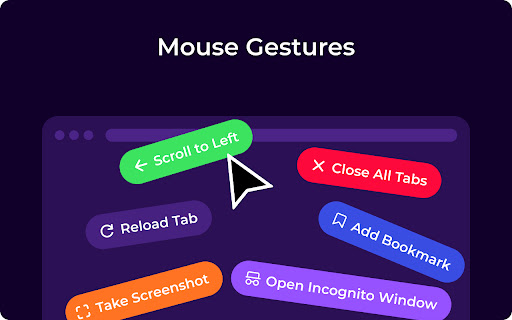
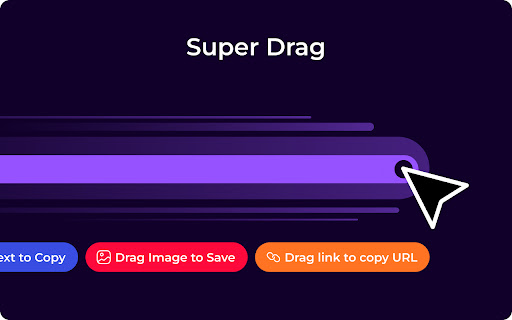
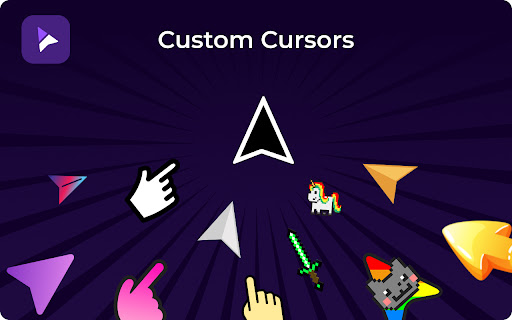
CrxMouse is a browser extension that allows users to create custom mouse gestures to trigger navigation shortcuts like opening/closing tabs, refreshing pages, and scrolling. It includes additional features like super drag-and-drop for link/text interaction and the ability to customize the cursor appearance.

Developer:info
Version:7.0.5
Size:16.13MiB
Last updated:

Overview

Installs

700K+

Rating

4.4

11,634 reviews

Languages

14 locales

Includes Deutsch, English, Nederlands, Türkçe...

Market analysis

Review-backed positioning, friction, and market signals for this Chrome extension.

Backed by review samples

Macro category

Automation & Workflow Efficiency

Pricing friction

Low review signal

Complaint intensity

High review signal

Listing & review signals
Observed signals from store listing text and review samples.

Listing positioning

CrxMouse positions itself as a productivity-boosting tool that simplifies browser navigation through customizable mouse gestures, wheel actions, and 'super drag' functionality. It emphasizes a seamless experience, claiming to be free, advertisement-free, and account-free.

Inferred product pattern

Browser-native automation utility utilizing persistent background scripts to intercept user navigation events.

Review-backed pain points

Users frequently report that the extension breaks login flows on specific sites, causes significant performance lag, and exhibits invasive data collection behaviors that trigger privacy warnings.

Observed feature gaps

Lack of transparency regarding background network traffic and failure to address long-standing bugs that cause interference with web-based authentication forms.

Tags
Mouse GesturesBrowser NavigationWorkflow AutomationProductivityCustom Shortcuts
Target users

- Power users

- Productivity-focused professionals

- Web browsers looking for navigation shortcuts

Primary use cases

- Tab management

- Page scrolling

- Quick search

- Navigation shortcuts

Positive themes

- High efficiency in browsing

- Convenience of custom navigation

- Useful for reducing repetitive clicks

Negative themes

- Privacy concerns regarding data scraping

- Interference with website login functionality and AJAX

- Performance degradation on popular sites

- Poor uninstallation cleanup

Observed friction

- Performance complaints detected

- Privacy complaints detected

- None reported, as the extension claims to be free with no paid tiers or ads.

Evidence boundary: Evidence is based on a large sample of public reviews from the Chrome Web Store highlighting a divide between functional utility and significant concerns regarding privacy and site compatibility. The review sample includes a high volume of privacy-related criticism that may reflect a vocal minority, though the performance and compatibility issues are consistently reported.
Complaint summaries
Review-backed complaint signals grouped by operational area.

Support

Users report non-responsive developer support when encountering critical bugs or installation issues.

Reliability

Significant complaints regarding browser lag, interference with AJAX-based website functions (e.g., login buttons), and persistence after uninstallation.

Privacy

Multiple reports alleging the extension intercepts and sends web page data to external servers, with specific concerns about AI chat data exposure.

Access & pricing

- Free usage observed

- No account requirement observed

- Free plan or free usage claimed

Store listing facts

Listing assets

- Screenshots: 5

- Videos: 1

- Languages: 14

Trust signals

- Privacy policy

- Developer contact

- Official website

Store metadata

- Version: 7.0.5

- Size: 16.13MiB

- Last updated:

Store description excerpt
Short excerpt from the public Chrome Web Store listing; full copy is available on the official store page.
Take control of your browsing with intuitive mouse gestures! CrxMouse supercharges your web experience with powerful mouse shortcuts. Effortlessly navigate, search, and open tabs with simple hand movements, saving you clicks and boosting your browsing efficiency. CrxMouse makes browsing: 🏎️ Faster: Navigate webpages and open links in a flash with customizable mouse gestures. 🖱️ Simpler: Ditch the keyboard shortcuts! Intuitive mouse movements take the effort out of browsing. 🕒 More Productive: Spend less time clicking and more time getting things done. CrxMouse offers: ⚙️ Easy-to-use mouse gestures: Get started quickly with pre-built options or create your own custom shortcuts. 🔎 Super drag: Drag links to open new tabs, copy text and URLs, and search in new tabs. 👆 Cursor Customization: Make browsing yours! Upload your own mouse cursor image for a unique and personalized touch. Take…

Listing SEO keywords

Search intent keywords
Keyword signals for evaluating how users may discover, compare, or search for this extension category.

Core discovery

mouse gestures chromebrowser navigation shortcutcustom mouse gestureschrome productivity extension

Comparison

crxmouse alternativesmouse gesture extension comparison

Problem

crxmouse lagcrxmouse privacy issuescrxmouse breaks login

Alternative

best mouse gesture extension

Similar extensions

Jump to related discovery paths:

FAQ

What is CrxMouse mainly used for?
CrxMouse is a browser extension that allows users to create custom mouse gestures to trigger navigation shortcuts like opening/closing tabs, refreshing pages, and scrolling. It includes additional features like super drag-and-drop for link/text interaction and the ability to customize the cursor appearance.
What market signals stand out?
Established adoption with very deep review base. Last known update: 06/01/2026.
What should builders compare before entering this space?
Compare install concentration, rating quality, update recency, screenshots, developer portfolio, listing claims, and review-backed friction signals.
Is this page review-backed?
Backed by review samples. This page combines store metadata with selected review signals, while raw store metrics remain visible for comparison.

Screenshots

CrxMouse: Mouse Gestures screenshot

Links

Website: crxmouse.com

Privacy policy: https://crxmouse.com/privacy/

Videos: Watch

Recommended Chrome extensions

Related listings from the same category, trending peers, and the same publisher portfolio.

Browse workflow