Timer for Google Chrome™ icon

Timer for Google Chrome™ Chrome Extension Analysis

Tab & Bookmark Productivity

Chrome extension ID: kbajefidbakalojflbaojijekaomlidj

A browser-based utility providing countdown, alarm, and stopwatch features. It is designed for simple time management and alerts directly within the Chrome browser.

Developer:Free Apps
Version:3.0.0
Size:366KiB
Last updated:

Overview

Installs

50K+

Rating

3.8

33 reviews

Languages

40 locales

Includes Deutsch, English, Filipino, Indonesia...

Market analysis

Review-backed positioning, friction, and market signals for this Chrome extension.

Backed by review samples

Macro category

Tab & Bookmark Productivity

Pricing friction

Low review signal

Complaint intensity

Moderate review signal

Listing & review signals
Observed signals from store listing text and review samples.

Listing positioning

The extension positions itself as a multi-functional timing tool including a countdown timer, alarm clock, and stopwatch. It emphasizes simplicity and the ability to work offline.

Inferred product pattern

A lightweight, free utility tool for basic time-tracking and alerting functions.

Review-backed pain points

Users reported unpredictable timer accuracy, difficulty understanding the alarm setup interface, and aggressive, unchangeable alarm sounds.

Observed feature gaps

The extension lacks the ability to set alarms beyond 24 hours and does not allow users to customize alarm sounds.

Tags
Countdown TimerAlarm ClockStopwatchTime Management
Target users

- Students

- Remote Workers

- Time-sensitive professionals

Primary use cases

- Setting countdown timers

- Daily alarm reminders

- Using a stopwatch for tasks

Positive themes

- Effective stopwatch functionality

- Clear countdown display

- Simple usage

Negative themes

- Unpredictable timing accuracy

- Aggressive/unpleasant alarm sounds

- UI confusion

Observed friction

- Performance complaints detected

- No pricing friction observed; the product is presented as a free utility.

Evidence boundary: Evidence gathered from the store description and user reviews regarding usability, sound quality, and timing accuracy. The analysis is based on a limited number of reviews, some of which are in different languages.
Complaint summaries
Review-backed complaint signals grouped by operational area.

Support

No support or account-related complaints were identified.

Reliability

Users reported instances of unpredictable timer duration and issues where the extension would only open as a website.

Privacy

No privacy or security complaints were identified.

Access & pricing

- Free usage observed

- No account requirement observed

- Free plan or free usage claimed

Store listing facts

Listing assets

- Screenshots: 1

- Videos: 0

- Languages: 40

Trust signals

- Developer contact

- Official website

Store metadata

- Version: 3.0.0

- Size: 366KiB

- Last updated:

Store description excerpt
Short excerpt from the public Chrome Web Store listing; full copy is available on the official store page.
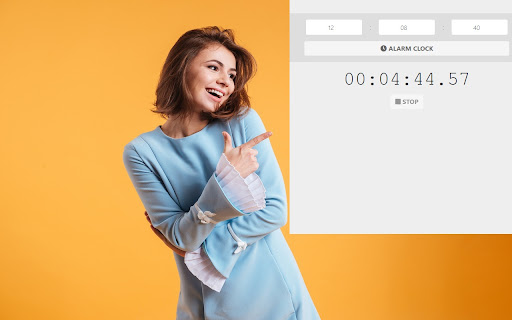
Timer Countdown, Alarm Clock, and Stopwatch Features include - Timer Countdown + Alarm Clock + Stopwatch - Works Offline - Plays an alarm cloud sound to wake you up Use this simple timer & alarm clock to remind you/alert you. Its very simple to use, simply choose the countdown/when you want the alarm to go off and this extension will do the rest.

Listing SEO keywords

Search intent keywords
Keyword signals for evaluating how users may discover, compare, or search for this extension category.

Core discovery

countdown timer chrome extensiononline stopwatchbrowser alarm clocksimple timer tool

Comparison

stopwatch vs timerbest chrome timer

Problem

unreliable timerannoying alarm soundtimer not accurate

Alternative

Pomodoro timerGoogle timerclock extension

Similar extensions

Jump to related discovery paths:

FAQ

What is Timer for Google Chrome™ mainly used for?
A browser-based utility providing countdown, alarm, and stopwatch features. It is designed for simple time management and alerts directly within the Chrome browser.
What market signals stand out?
Visible niche traction with limited review base. Last known update: 03/23/2022.
What should builders compare before entering this space?
Compare install concentration, rating quality, update recency, screenshots, developer portfolio, listing claims, and review-backed friction signals.
Is this page review-backed?
Backed by review samples. This page combines store metadata with selected review signals, while raw store metrics remain visible for comparison.

Screenshots

Timer for Google Chrome™ screenshot

Links

Recommended Chrome extensions

Related listings from the same category, trending peers, and the same publisher portfolio.

Browse workflow