Any.do icon

Any.do Chrome Extension Analysis

Automation & Workflow Efficiency

Chrome extension ID: kdadialhpiikehpdeejjeiikopddkjem

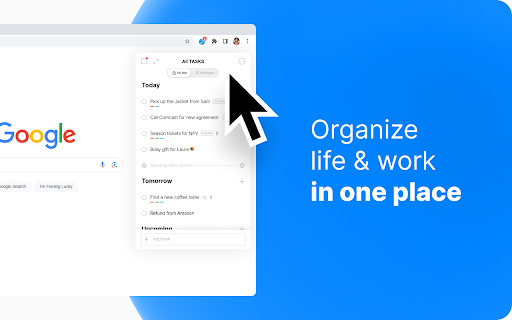
Any.do is a productivity extension designed to help users stay organized by managing tasks and schedules directly from the browser. It offers features like drag-and-drop organization, web page saving, and calendar integration.

Developer:Any.do
Version:4.4.12
Size:27.87MiB
Last updated:

Overview

Installs

100K+

Rating

4.0

2,935 reviews

Languages

1 locales

Includes English

Market analysis

Review-backed positioning, friction, and market signals for this Chrome extension.

Backed by review samples

Macro category

Automation & Workflow Efficiency

Pricing friction

Low review signal

Complaint intensity

High review signal

Listing & review signals
Observed signals from store listing text and review samples.

Listing positioning

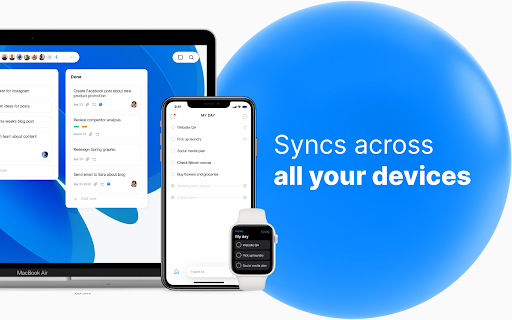
Any.do positions itself as a comprehensive productivity solution for managing everything from personal daily tasks to professional team projects. It emphasizes seamless organization through task creation, recurring reminders, and cross-platform synchronization.

Inferred product pattern

A highly-rated design-led productivity tool that is currently struggling with core technical reliability and cross-device synchronization.

Review-backed pain points

Users report severe synchronization issues between the Chrome extension, web version, and mobile apps, as well as reminders that fail to trigger or display consistently across devices.

Observed feature gaps

Lack of a manual sync button and the removal of the 'show in tab' feature reported by long-term users.

Tags
Task ManagementTo-Do ListDaily PlannerTeam Collaboration
Target users

- Individual professionals

- Project managers

- Teams

- Students

Primary use cases

- Daily task management

- Team project collaboration

- Web-to-task capturing

- Schedule synchronization

Positive themes

- Clean and intuitive interface design

- Sleek mobile application experience

Negative themes

- Persistent synchronization failures

- Unreliable reminder notifications

- Extension instability and loading errors

Observed friction

- Performance complaints detected

- No specific pricing friction or complaints were identified in the provided reviews.

Evidence boundary: Extracted from Chrome Web Store listing and multiple user reviews highlighting technical failures. The review data provided is heavily weighted toward low-rating samples, which may overrepresent technical issues.
Complaint summaries
Review-backed complaint signals grouped by operational area.

Support

No direct support interactions were documented, though users expressed frustration regarding perceived developer inactivity in fixing long-standing bugs.

Reliability

Significant reliability issues reported, including HTTP-500 errors, the extension failing to open, and broken sync functionality.

Privacy

No privacy or security complaints were observed in the review data.

Access & pricing

- Free entry with paid features

- Account required for core usage

- Limited free usage observed

Store listing facts

Listing assets

- Screenshots: 4

- Videos: 0

- Languages: 1

Trust signals

- Privacy policy

- Developer contact

- Official website

- Support link

Store metadata

- Version: 4.4.12

- Size: 27.87MiB

- Last updated:

Store description excerpt
Short excerpt from the public Chrome Web Store listing; full copy is available on the official store page.
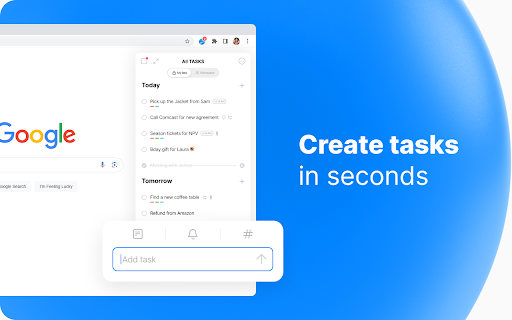
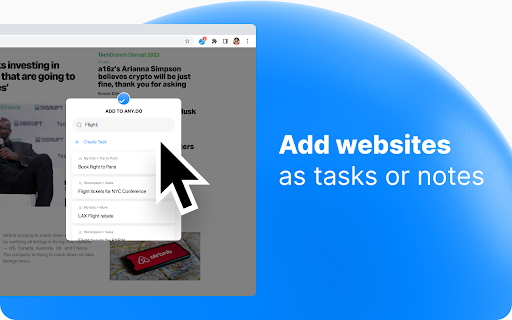
Get Organized with Any.do for Chrome Join millions who use Any.do to keep track of everything—from daily tasks to team projects—all in one place. With Any.do for Chrome, stay productive and organized with ease. Seamlessly Manage Tasks: • Quickly create tasks and reminders • Drag and drop to organize your to-dos • Mark tasks complete right from the extension • Save web pages as tasks or notes to track articles, research, and follow-ups • Customize your browsing by setting Any.do as your default new tab Stay on Top of Your Day: • Capture tasks the moment they come to mind • Set one-time and recurring reminders • Collaborate on projects with team members • Assign tasks to others and manage shared responsibilities • Sync your calendar for a clear view of your schedule • • • Questions? Feedback? Visit our YouTube channel https://youtube.com/c/anydo, support center https://support.any.do, or…

Listing SEO keywords

Search intent keywords
Keyword signals for evaluating how users may discover, compare, or search for this extension category.

Core discovery

task manager extensionto-do list chrome extensionproductivity tooldaily plannerreminder app

Comparison

Google CalendarTodoistAny.do vs Google Calendar

Problem

task sync issuesreminder not workingto-do list extension bugs

Alternative

Microsoft To DoTickTickTodoist

Similar extensions

Jump to related discovery paths:

FAQ

What is Any.do mainly used for?
Any.do is a productivity extension designed to help users stay organized by managing tasks and schedules directly from the browser. It offers features like drag-and-drop organization, web page saving, and calendar integration.
What market signals stand out?
Established adoption with substantial review base. Last known update: 04/19/2026.
What should builders compare before entering this space?
Compare install concentration, rating quality, update recency, screenshots, developer portfolio, listing claims, and review-backed friction signals.
Is this page review-backed?
Backed by review samples. This page combines store metadata with selected review signals, while raw store metrics remain visible for comparison.

Screenshots

Any.do screenshot
Any.do screenshot
Any.do screenshot
Any.do screenshot

Links

Recommended Chrome extensions

Related listings from the same category, trending peers, and the same publisher portfolio.

Browse workflow