

Speed test for Chrome Chrome Extension Analysis
Automation & Workflow EfficiencyStore listing title: Speed test for Chrome - wifi speed test
Chrome extension ID: khhnfdoljialnlomkdkphhdhngfppabl
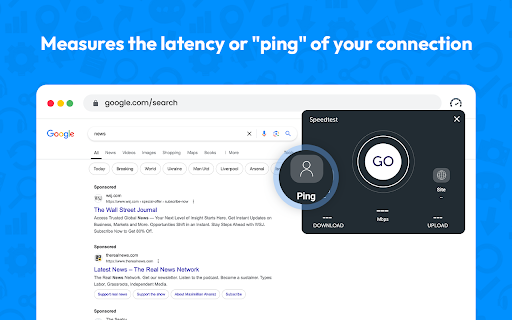
An internet connection utility that allows users to test their current network performance, specifically download speed, upload speed, and ping, directly within their web browser. It provides a toolbar icon for instant activation, aiming to help users diagnose connectivity issues without leaving their current tab.
Overview
Installs
400K+
Rating
★ 3.9
31 reviews
Languages
2 locales
Includes English, English (United States)
Market analysis
Review-backed positioning, friction, and market signals for this Chrome extension.
Macro category
Automation & Workflow Efficiency
Pricing friction
Low review signal
Complaint intensity
Moderate review signal
Listing positioning
The store listing positions the extension as a fast, one-click tool to measure internet and WiFi performance directly from the Chrome browser toolbar. It claims to deliver quick, accurate measurements of download and upload speeds as well as network ping values. The developer highlights its compact, fast-loading, and lightweight design that yields results in just a few seconds.
Inferred product pattern
A lightweight browser-based utility that performs synthetic network speed tests but struggles with accurate calculation scripts on specific network environments.
Review-backed pain points
The primary pain point is the severe inaccuracy of the upload speed calculations, with users reporting impossible metrics (e.g., 17,000 to 27,000 Mbps) or highly deflated values compared to actual speeds. Additionally, some users experience long connection delay times before the test starts.
Observed feature gaps
The extension lacks a reliable upload speed tracking algorithm, which serves as a major feature gap. Users also note that it lacks the accurate, industry-standard precision required by professionals like field engineers who need a reliable GUI-based network testing tool.
- Remote Workers
- Gamers
- Field Engineers
- General Web Browsers
- Testing upload and download speeds
- Checking network latency and ping before online gaming
- Verifying internet connection performance
- Enthusiastic praise for ease of use
- Inaccurate upload speed calculation
- Slow connection and initiation times
- Significantly inflated or deflated upload metrics
- Performance complaints detected
- No pricing friction was observed; the tool is marketed as free, and reviews do not mention any payment demands, upsells, or hidden costs.
Support
There are no complaints regarding direct customer support, refunds, or account blocking, though reviewers express a desire for the developer to fix the known calculation bugs.
Reliability
Numerous reviewers report major reliability issues with calculation accuracy, specifically targeting the upload speed metric which displays highly exaggerated or incorrect ratios. Some users also complain about long delays before the tool successfully connects.
Privacy
No privacy or security complaints were observed in the reviewed samples.
- Free usage observed
- No account requirement observed
- Free plan or free usage claimed
Store listing facts
- Screenshots: 2
- Videos: 0
- Languages: 2
- Privacy policy
- Developer contact
- Version: 1.0.5
- Size: 238KiB
- Last updated:
Listing SEO keywords
Core discovery
Comparison
Problem
Alternative
Similar extensions
Jump to related discovery paths:
FAQ
Screenshots

Links
Privacy policy: https://sites.google.com/view/speedwifi/privacy-policy


