IBM Aspera Connect Chrome Extension Analysis
Automation & Workflow EfficiencyChrome extension ID: kpoecbkildamnnchnlgoboipnblgikpn
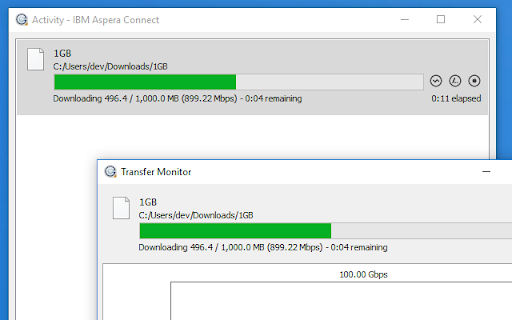
IBM Aspera Connect is a browser extension that enables high-speed uploads and downloads of large files. It requires a corresponding desktop application and an existing account on an Aspera server to function.
Overview
Installs
900K+
Rating
★ 1.6
156 reviews
Languages
6 locales
Includes English, Nederlands, español, 中文(中国)...
Market analysis
Review-backed positioning, friction, and market signals for this Chrome extension.
Macro category
Automation & Workflow Efficiency
Pricing friction
Moderate review signal
Complaint intensity
High review signal
Listing positioning
The listing positions the product as a high-speed data transfer solution utilizing the FASP protocol to outperform TCP/IP. It serves as a bridge between the Chrome browser and a required desktop application to move large files to IBM Aspera servers.
Inferred product pattern
Enterprise-grade high-speed file transfer utility requiring a companion desktop client.
Review-backed pain points
Users report severe frustration with installation cycles where the app repeatedly asks to be installed despite being present. Connectivity failures ('Error not Found') and authentication errors are common, alongside a lack of troubleshooting support for non-Windows OS.
Observed feature gaps
Lack of support for Chromebooks, missing troubleshooting documentation for Linux users, and the inability to fully quit the background application.
- Enterprise professionals
- Media and entertainment companies
- Users of IBM Aspera servers
- Licensed media downloaders
- Transferring multi-gigabyte files
- Downloading licensed media from platforms like Getty Images
- Enterprise-grade data migration
- Review-backed data is not available
- Installation failure loops
- Connectivity and authentication errors
- Poor cross-platform support (Ubuntu/ChromeOS)
- Intrusive background process behavior
- Payment required for meaningful usage
- Performance complaints detected
- Users express that the software is not worth the cost given its reliability issues, with one user explicitly advising others to 'save your money'.
Support
Complaints center on a lack of technical support and troubleshooting tips for Linux/Ubuntu users, leaving them unable to resolve port or connection issues.
Reliability
Severe reliability issues including endless installation loops, HTTP connection errors, firewall conflicts, and authentication failures.
Privacy
Review-backed data is not available.
- Subscription model observed
- Account required for core usage
- Paid-only usage observed
Store listing facts
- Screenshots: 1
- Videos: 0
- Languages: 6
- Developer contact
- Version: 5.0.0
- Size: 83.5KiB
- Last updated:
Listing SEO keywords
Core discovery
Comparison
Problem
Alternative
Similar extensions
Jump to related discovery paths:
FAQ
Screenshots