Save to Notion icon

Save to Notion Chrome Extension Analysis

Automation & Workflow Efficiency

Chrome extension ID: ldmmifpegigmeammaeckplhnjbbpccmm

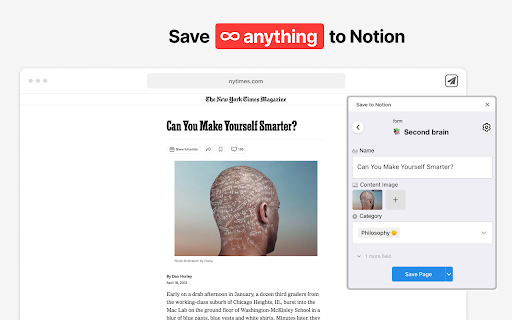
A browser extension designed to bridge the web and Notion by enabling users to clip articles, emails, and social media posts. It provides tools for organizing data through database properties, tags, and relations without leaving the browser tab.

Developer:savetonotion.so
Version:4.0.25
Size:3.82MiB
Last updated:

Overview

Installs

400K+

Rating

4.3

1,265 reviews

Languages

1 locales

Includes English

Market analysis

Review-backed positioning, friction, and market signals for this Chrome extension.

Backed by review samples

Macro category

Automation & Workflow Efficiency

Pricing friction

Moderate review signal

Complaint intensity

Moderate review signal

Listing & review signals
Observed signals from store listing text and review samples.

Listing positioning

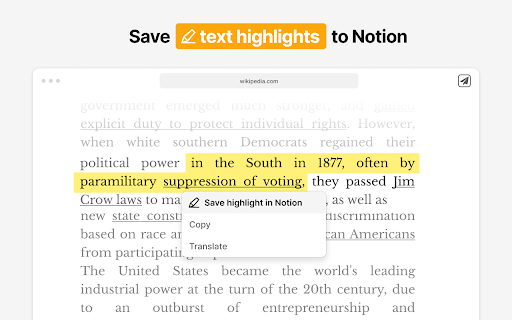
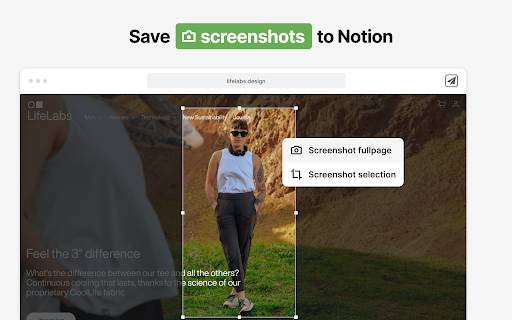
The product positions itself as a powerful alternative to basic web clippers, allowing users to save diverse web content directly into Notion databases. It emphasizes advanced features like mapping metadata to database properties, custom forms, and the ability to capture screenshots and highlights.

Inferred product pattern

An advanced data-mapping wrapper for the Notion API that enhances the native clipping experience.

Review-backed pain points

Users report severe frustration with an endless login loop, the lack of a clear login path for existing accounts, and a recent update that decreased the number of allowed free notebooks from 5 to 4.

Observed feature gaps

Lack of keyboard-accessible tag selection, non-responsive billing support, and an outdated public roadmap/changelog.

Tags
Notion ClipperWeb ScraperProductivity ToolKnowledge Management
Target users

- Notion power users

- Researchers

- Content curators

- Knowledge workers

Primary use cases

- Archiving web articles for later reading

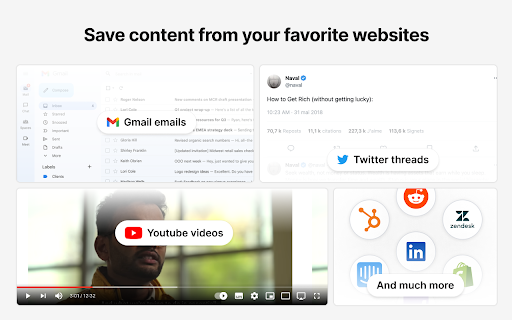
- Capturing social media posts to a Notion database

- Clipping emails from Gmail to Notion

- Organizing research with automated metadata mapping

Positive themes

- Review-backed positive themes are not available from the provided samples.

Negative themes

- Authentication and login loops

- UI regressions affecting keyboard accessibility

- Reduction in free tier limits

- General instability and freezing

Observed friction

- Free-tier complaints detected

- Performance complaints detected

- Users have noted restrictions placed on free usage, specifically a reduction in the number of notebooks accessible for free users.

Evidence boundary: Extracted from the Chrome Web Store listing and 10 helpful/low-rating review samples. Positive review samples were not provided, so positive themes are based on absence of data rather than positive evidence.
Complaint summaries
Review-backed complaint signals grouped by operational area.

Support

Reports of no response to billing inquiries and a stagnant public roadmap/changelog.

Reliability

Significant reports of login loops, freezing after re-installation, and failures to save Gmail content.

Privacy

No specific privacy complaints observed in the provided samples.

Access & pricing

- Free entry with paid features

- Account required for core usage

- Limited free usage observed

Store listing facts

Listing assets

- Screenshots: 5

- Videos: 0

- Languages: 1

Trust signals

- Privacy policy

- Developer contact

- Official website

Store metadata

- Version: 4.0.25

- Size: 3.82MiB

- Last updated:

Store description excerpt
Short excerpt from the public Chrome Web Store listing; full copy is available on the official store page.
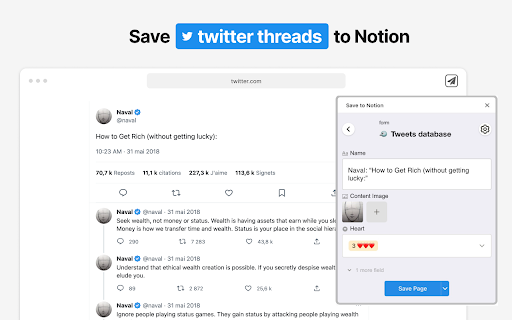
≡ Features - 💾 Save web articles, emails, tweets, Youtube videos, Linkedin posts, cooking recipes and more… To read them later in Notion. - 🏷️ Fill database properties (tags, relation, checkbox…), right in the extension. - 📸 Take screenshots & pick images from the web and upload them to Notion. - ✍️ Highlight portions of text directly from the web and send them right to Notion. - 🧠 Automatically Map data on webpages, such as article’s publication date, author name etc… To database properties, so you don't have to copy/paste. - 👑 Create different forms for your various use cases, whether it be for work or personal purposes. ≡ Usage Start using Save to Notion today for free! It is helping thousands of individuals everyday to be more productive and enjoy Notion in their personal and professional lives. ≡ Contact You have an issue or want to give a feedback / suggestion? Drop me an ema…

Listing SEO keywords

Search intent keywords
Keyword signals for evaluating how users may discover, compare, or search for this extension category.

Core discovery

save web to notionnotion web clipper extensionnotion database clipperclip articles to notion

Comparison

Save to Notion vs Notion Web Clipperbest Notion clipper alternatives

Problem

how to save web pages to notion databasenotion extension not logging insave gmail to notion

Alternative

Notion Web Clipper alternativeadvanced Notion clipper

Similar extensions

Jump to related discovery paths:

FAQ

What is Save to Notion mainly used for?
A browser extension designed to bridge the web and Notion by enabling users to clip articles, emails, and social media posts. It provides tools for organizing data through database properties, tags, and relations without leaving the browser tab.
What market signals stand out?
Established adoption with substantial review base. Last known update: 06/26/2026.
What should builders compare before entering this space?
Compare install concentration, rating quality, update recency, screenshots, developer portfolio, listing claims, and review-backed friction signals.
Is this page review-backed?
Backed by review samples. This page combines store metadata with selected review signals, while raw store metrics remain visible for comparison.

Screenshots

Save to Notion screenshot

Links

Recommended Chrome extensions

Related listings from the same category, trending peers, and the same publisher portfolio.

Browse workflow