

Custom New Tab Chrome Extension Analysis
Tab & Bookmark ProductivityChrome extension ID: lfjnnkckddkopjfgmbcpdiolnmfobflj
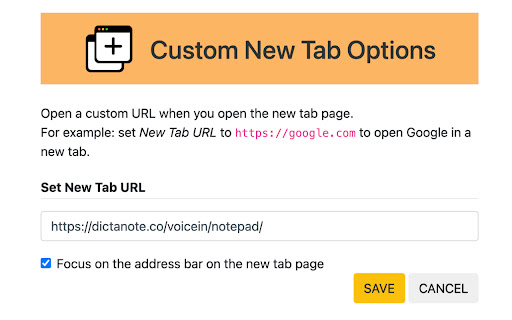
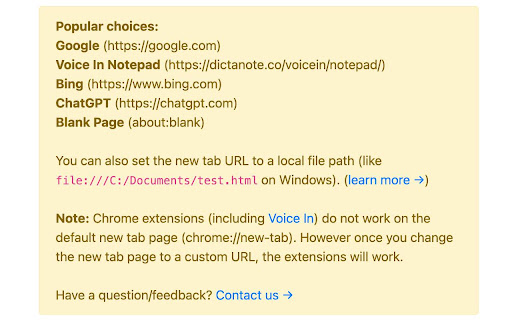
Custom New Tab is a productivity extension that lets users redirect their Chrome new tab page to a custom destination. It supports external URLs, local file paths, and internal Chrome pages, with an optional feature to auto-focus the address bar.
Overview
Installs
50K+
Rating
★ 4.1
37 reviews
Languages
42 locales
Includes Deutsch, English, English (United Kingdom), English (United States)...
Market analysis
Review-backed positioning, friction, and market signals for this Chrome extension.
Macro category
Tab & Bookmark Productivity
Pricing friction
Low review signal
Complaint intensity
Moderate review signal
Listing positioning
The extension is positioned as a lightweight, privacy-focused utility that allows users to bypass Chrome's default new tab page. It claims to be extremely small (<50kb) and offers the ability to redirect new tabs to any URL, local file, or blank page.
Inferred product pattern
A simple utility extension for URL redirection and browser workspace customization.
Review-backed pain points
Users reported difficulty enabling 'Allow access to file URLs' permissions, a complicated uninstallation process that requires reinstallation, and a mismatch between the 'no tracking' claim and observed PostHog tracking.
Observed feature gaps
Clearer instructions for enabling local file permissions and a more streamlined uninstallation/cleanup process.
- Chrome users seeking workflow customization
- Developers working with local HTML files
- Users wanting a distraction-free blank new tab
- Redirecting new tabs to specific websites like ChatGPT or Google
- Opening local HTML files as the new tab page
- Focusing automatically on the address bar upon opening a new tab
- Effective redirection for external URLs
- Low resource consumption
- Discrepancy regarding tracking claims
- Difficult uninstallation process
- Issues with local file permissions
- Visual bugs such as white screen flashes and tab icon replacement
- Performance complaints detected
- Privacy complaints detected
- No pricing friction observed as no cost is mentioned in the listing.
Support
Users have expressed difficulty navigating permission settings and removing intrusive popups.
Reliability
Reports of a white screen flash during redirection, incorrect tab icons appearing from other sites, and errors when redirecting to other extension URLs.
Privacy
One user claims the extension uses PostHog tracking, contradicting the store listing's claim of having no tracking.
- Free usage observed
- No account requirement observed
- No clear pricing signal
Store listing facts
- Screenshots: 3
- Videos: 0
- Languages: 42
- Privacy policy
- Developer contact
- Official website
- Version: 1.10
- Size: 92.24KiB
- Last updated:
Listing SEO keywords
Core discovery
Comparison
Problem
Alternative
Similar extensions
Jump to related discovery paths:
FAQ
Screenshots
Links
Website: dictanote.co
Privacy policy: https://dictanote.co/privacy/





