

Google Meet Enhancement Suite Chrome Extension Analysis
Automation & Workflow EfficiencyChrome extension ID: ljojmlmdapmnibgflmmminacbjebjpno
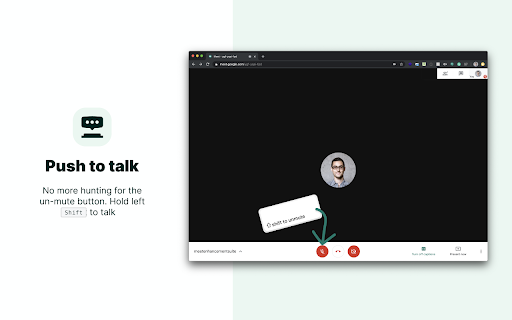
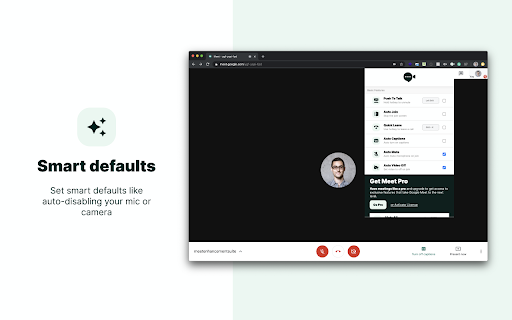
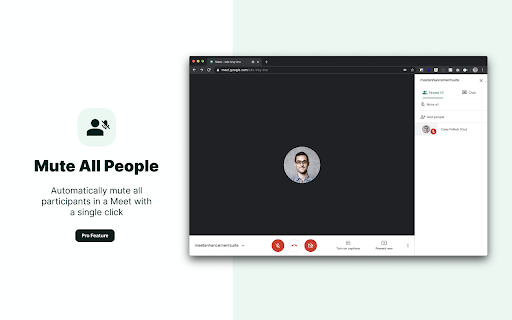
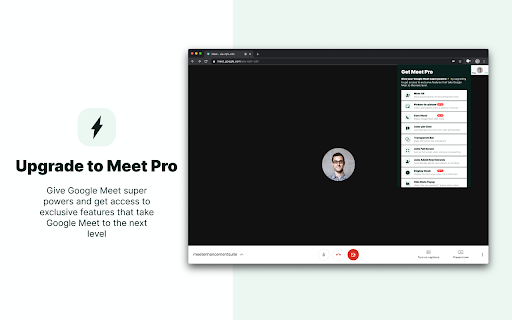
This extension modifies the Google Meet interface to offer productivity-focused features such as push-to-talk, auto-mute, auto-admit controls, and visual adjustments like dark mode. It utilizes a freemium model where basic convenience features are provided for free, while power-user tools like attendance tracking and auto-recording are gated behind a 'Pro' subscription.
Overview
Installs
100K+
Rating
★ 4.0
260 reviews
Languages
54 locales
Includes Deutsch, English, English (United Kingdom), English (United States)...
Market analysis
Review-backed positioning, friction, and market signals for this Chrome extension.
Macro category
Automation & Workflow Efficiency
Pricing friction
Moderate review signal
Complaint intensity
High review signal
Listing positioning
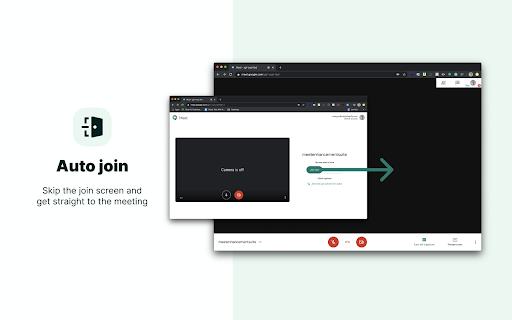
Google Meet Enhancement Suite positions itself as a comprehensive utility tool designed to simplify remote work for professionals, educators, and students. It promises to optimize the Google Meet experience by providing over 40 functional enhancements, ranging from basic automation like auto-joining to advanced meeting management tools.
Inferred product pattern
Utility overlay that periodically breaks due to dependency on third-party platform interface updates.
Review-backed pain points
Users consistently report feeling ignored by support when requesting refunds or troubleshooting activation issues. Many users also express frustration with subscription management and billing transparency.
Observed feature gaps
Reviewers note that features frequently break or malfunction following Google Meet updates, and many desired UI adjustments are gated behind 'Pro' tiers, which users feel should be standard.
- Remote workers
- K-12 and university educators
- Students
- Meeting facilitators
- Automating join/mute settings
- Managing large meeting attendance
- Improving accessibility via push-to-talk
- Customizing UI elements like dark mode and control bars
- Initial ease of use
- Useful core automations like push-to-talk and auto-mute
- Valuable UI customization for frequent meeting participants
- Unresponsive customer support for billing issues
- Difficulty canceling subscriptions
- Features breaking frequently due to Google Meet updates
- Frustration over basic features being locked behind paywalls
- Free-tier complaints detected
- Refund complaints detected
- Performance complaints detected
- High friction; users report difficulties in managing subscription renewals, inability to obtain refunds, and unresponsive customer service regarding billing.
Support
Persistent complaints regarding the lack of support response for refund requests and activation technical support.
Reliability
Frequent reports of features (such as auto-join, mute, and video controls) stopping after Google Meet platform updates, requiring patches that are often delayed.
Privacy
No specific privacy-breach claims found; complaints are focused on functionality and billing.
- Free entry with paid features
- Login needed for core features
- Trial or limited free usage before paid plan
Store listing facts
- Screenshots: 5
- Videos: 1
- Languages: 54
- Privacy policy
- Developer contact
- Official website
- Support link
- Version: 6.0.19
- Size: 620KiB
- Last updated:
Listing SEO keywords
Core discovery
Comparison
Problem
Alternative
Similar extensions
Jump to related discovery paths:
FAQ
Screenshots
Links
Website: meetenhancementsuite.com
Privacy policy: https://adminremix.com/privacy-policy
Support links: https://meetenhancementsuite.com/#support
Videos: Watch





