
Full Screen for Google Tasks Chrome Extension Analysis
Automation & Workflow EfficiencyChrome extension ID: ndbaejgcaecffnhlmdghchfehkflgfkj
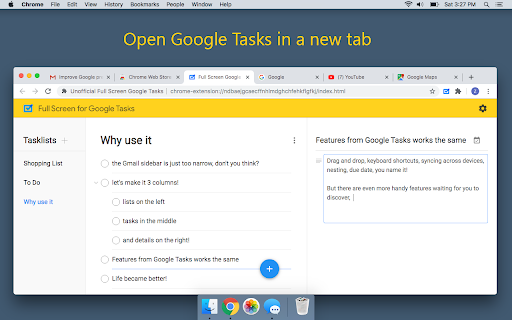
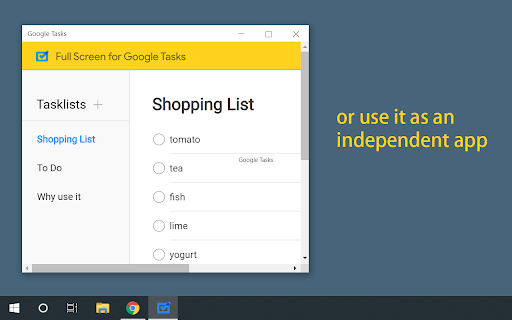
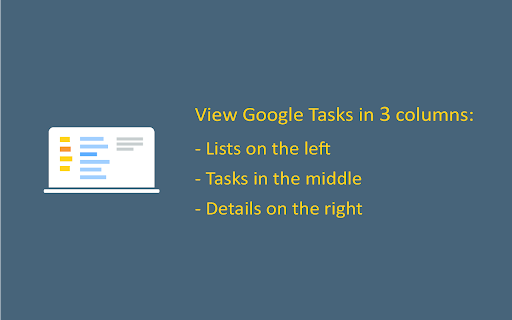
This extension provides a dedicated, full-screen interface for managing Google Tasks. It allows users to run their task list as an independent window or tab, offering a more robust workspace compared to the native sidebar integration.
Overview
Installs
100K+
Rating
★ 4.6
1,174 reviews
Languages
12 locales
Includes Deutsch, English, español, français...
Market analysis
Review-backed positioning, friction, and market signals for this Chrome extension.
Macro category
Automation & Workflow Efficiency
Pricing friction
High review signal
Complaint intensity
High review signal
Listing positioning
The store listing positions this extension as a standalone desktop-like interface for Google Tasks. It emphasizes the ability to move tasks out of the Gmail/Calendar sidebar into a dedicated, wider window for improved focus and utility.
Inferred product pattern
A UI-wrapper extension that enhances native Google services, transitioning to a restrictive subscription model.
Review-backed pain points
Users frequently cite frustration with paywalls that gate basic functionality, loss of data due to UI bugs, and the inability to effectively manage tasks (e.g., no easy delete/undo).
Observed feature gaps
Missing features include a trash/restore function, reliable search within task descriptions, specific recurring task settings, and robust integration with email tasks.
- Power users of Google Tasks
- Remote workers
- Task managers
- Full-screen task management
- Desktop-style task viewing
- Cross-list task organization
- Enhanced UI compared to native sidebar
- Convenience of standalone desktop-like window
- Aggressive monetization of previously free features
- Inability to delete tasks or missing undo/trash functionality
- Data loss bugs
- Lack of customer support
- Payment required for meaningful usage
- Free-tier complaints detected
- Performance complaints detected
- High friction due to the sudden conversion of previously free features to a paid model, with users reporting aggressive 'pay-to-continue' prompts.
Support
Users report ineffective support channels, specifically pointing to restricted Google Groups where users cannot post bug reports.
Reliability
Multiple reports of data loss, UI glitches with scroll position, and inconsistent saving of task details.
Privacy
No specific privacy or data security complaints noted in the sample set.
- Free entry with paid features
- Account required for core usage
- Limited free usage observed
Store listing facts
- Screenshots: 3
- Videos: 0
- Languages: 12
- Privacy policy
- Developer contact
- Official website
- Support link
- Version: 1.20.23
- Size: 601KiB
- Last updated:
Listing SEO keywords
Core discovery
Comparison
Problem
Alternative
Similar extensions
Jump to related discovery paths:
FAQ
Screenshots
Links
Website: fullscreen-for-googletasks.com
Privacy policy: https://zeeingsoft.com/privacy.html
Support links: https://groups.google.com/forum/#!forum/full-screen-for-google-tasks