

Focus To-Do Chrome Extension Analysis
Automation & Workflow EfficiencyStore listing title: Focus To-Do: Pomodoro Timer & To Do List
Chrome extension ID: ngceodoilcgpmkijopinlkmohnfifjfb
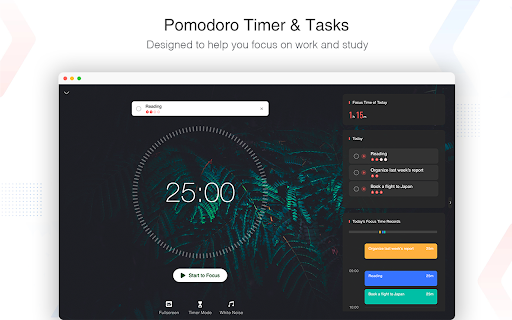
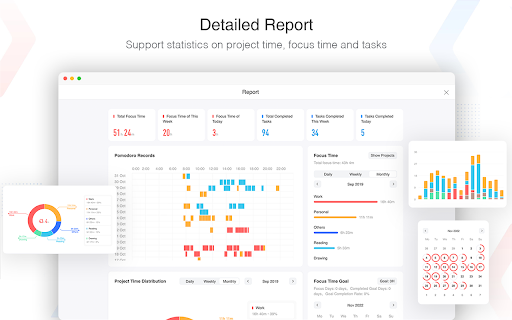
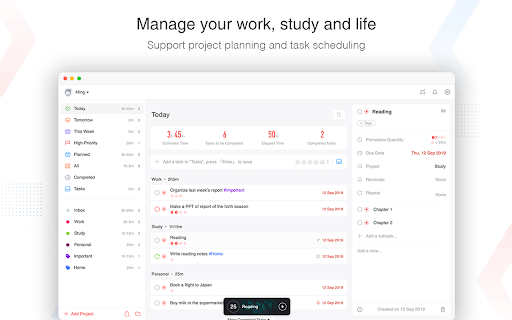
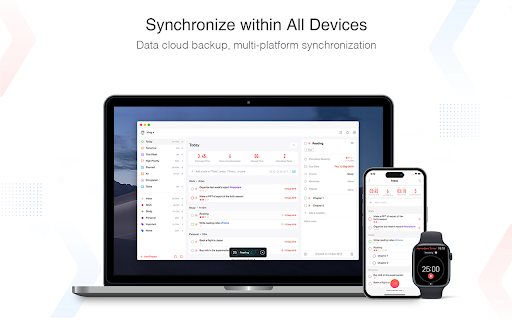
Focus To-Do is a productivity tool that merges the Pomodoro Technique with a to-do list manager. It helps users stay focused by organizing tasks, initiating work/study timers, setting reminders, and tracking time spent. The app supports cross-platform synchronization, allowing access to tasks and data from various devices.
Overview
Installs
500K+
Rating
★ 4.8
13,861 reviews
Languages
30 locales
Includes Deutsch, English, Filipino, Indonesia...
Market analysis
Review-backed positioning, friction, and market signals for this Chrome extension.
Macro category
Automation & Workflow Efficiency
Pricing friction
Moderate review signal
Complaint intensity
High review signal
Listing positioning
This Chrome extension positions itself as an integrated solution for productivity, combining the Pomodoro Technique with task management. It emphasizes motivation, focus, and getting things done through features like task organization, focus timers, reminders, and time tracking, aiming to help users manage their work and study effectively.
Inferred product pattern
A freemium productivity suite combining Pomodoro timer and task management with cross-platform sync. Core functionality is free, but advanced features and robust synchronization are locked behind a premium subscription, leading to user frustration regarding feature gating.
Review-backed pain points
Users report issues with synchronization leading to data loss, particularly between devices or after app crashes. Some users experience the timer stopping if the main extension window is not kept open, contrary to expectations of background operation. There are also complaints about critical features being moved to a premium tier.
Observed feature gaps
Some users desire the ability to add custom backgrounds in the free version. There is a request for better UI adaptation to window resizing and improved integration as a browser tab rather than a separate window. A lack of an immediate UI option to proceed to the next step (e.g., 'take a break') after a timer finishes is also noted.
- Students
- Remote Workers
- Freelancers
- Virtual Assistants
- Anyone struggling with procrastination
- Improving focus during study sessions
- Organizing daily tasks and projects
- Tracking time spent on specific tasks
- Managing work and personal errands
- Reducing procrastination
- Helps users stay disciplined and focused
- Provides a sense of order and structure
- Smooth synchronization across devices
- Free version offers useful features without excessive ads
- Effective for time tracking and task management
- Sync issues and data loss
- Features becoming premium-only, perceived as greedy
- Application performance issues, crashes
- Timer stops when the main window is closed
- Lack of customization options in the free version
- Free-tier complaints detected
- Performance complaints detected
- Some users perceive a significant pricing friction, stating that many features have become 'premium only' and that the free version is heavily limited, leading to a feeling of greed from the developers. This shift in feature availability has led to dissatisfaction.
Support
One user reported experiencing an SSL certificate error related to `mq.focustodo.net`, indicating a potential security or configuration issue with the application's connection. There are also reports of data loss during sync, with users seeking help for lost data.
Reliability
Multiple low-rating reviews indicate significant reliability issues, including the app freezing after a few days, not synchronizing data, crashing frequently, and losing all user data. The timer stopping when the main window is closed is also a notable reliability concern for some users.
Privacy
No direct privacy complaints were observed in the provided reviews.
- Free entry with paid features
- Account required for core usage
- Limited free usage observed
Store listing facts
- Screenshots: 4
- Videos: 0
- Languages: 30
- Privacy policy
- Developer contact
- Version: 7.1.1
- Size: 26.13MiB
- Last updated:
Listing SEO keywords
Core discovery
Comparison
Problem
Alternative
Similar extensions
Jump to related discovery paths:
FAQ
Screenshots
Links
Privacy policy: https://www.focustodo.cn/privacy-policy





