JSON Formatter icon

JSON Formatter Chrome Extension Analysis

Developer & Designer Tools

Chrome extension ID: bcjindcccaagfpapjjmafapmmgkkhgoa

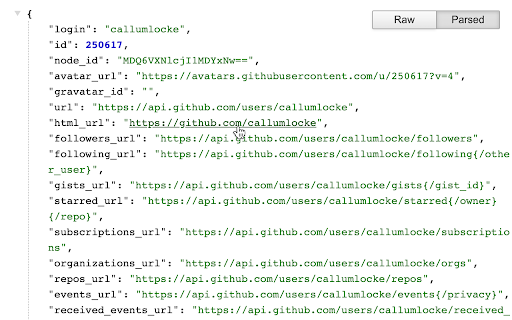
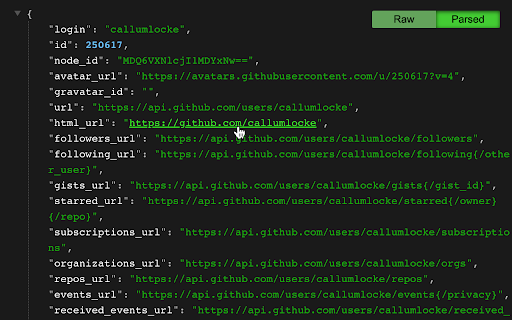
A developer tool that auto-formats JSON pages for improved readability. It provides syntax highlighting, tree navigation with indent guides, and the ability to export parsed JSON to the developer console.

Developer:Code Formatter
Version:0.10.2
Size:20.35KiB
Last updated:

Overview

Installs

2.0M+

Rating

4.3

2,083 reviews

Languages

1 locales

Includes English

Market analysis

Review-backed positioning, friction, and market signals for this Chrome extension.

Backed by review samples

Macro category

Developer & Designer Tools

Pricing friction

Low review signal

Complaint intensity

High review signal

Listing & review signals
Observed signals from store listing text and review samples.

Listing positioning

The extension positions itself as a fast and lightweight utility to make JSON data easily readable in browser tabs. It highlights features such as dark mode, syntax highlighting, and collapsible trees, while explicitly claiming no tracking or advertising.

Inferred product pattern

A utility tool that transitioned from an open-source developer resource to a closed-source product utilizing an aggressive affiliate/donation-based monetization model.

Review-backed pain points

Users report the injection of unrequested 'Give Freely' pop-ups during e-commerce checkouts and suspicion of affiliate/spyware-like behavior via script injection.

Observed feature gaps

The tool has transitioned from an open-source model to a closed-source model, which is cited as a major loss of transparency.

Tags
JSON FormatterJSON ViewerSyntax HighlightingDeveloper Tool
Target users

- Web Developers

- Software Engineers

- Data Analysts

- API Developers

Primary use cases

- Visualizing JSON API responses

- Debugging structured data in the browser

Positive themes

No positive theme data.

Negative themes

- Affiliate link hijacking

- Unwanted donation pop-ups

- Privacy and tracking concerns

- Transition to closed-source

Observed friction

- Privacy complaints detected

- No direct pricing friction; users are instead reacting to the perceived hidden cost of privacy and unwanted affiliate marketing.

Evidence boundary: Data extracted from the product listing and multiple highly critical 1-star reviews regarding privacy and affiliate injections. The provided review samples consist entirely of low-rating reviews, which may reflect recent changes rather than the long-term user experience.
Complaint summaries
Review-backed complaint signals grouped by operational area.

Support

No specific support complaints, though users express significant distrust in the developer's recent changes.

Reliability

No reports of core functionality failure, but users question the reliability of the developer's privacy claims.

Privacy

Severe complaints regarding the injection of affiliate scripts, potential browsing behavior tracking, and the use of IP geolocation services.

Access & pricing

- No clear monetization signal

- No account requirement observed

- Free plan or free usage claimed

Store listing facts

Listing assets

- Screenshots: 2

- Videos: 0

- Languages: 1

Trust signals

- Developer contact

- Official website

Store metadata

- Version: 0.10.2

- Size: 20.35KiB

- Last updated:

Store description excerpt
Short excerpt from the public Chrome Web Store listing; full copy is available on the official store page.
The original JSON Formatter, now with optional dark mode 🌚 Auto-formats JSON when you load it in a browser tab. FEATURES - Fast, even on very long JSON pages - Dark mode - Syntax highlighting - Collapsible trees, with indent guides - Clickable URLs - Negligible performance impact on non-JSON pages (less than 1 millisecond) - Works on any valid JSON page – URL doesn't matter - Buttons for toggling between raw and parsed JSON - FIXED: Exports the parsed JSON to window.json so you can explore it in Dev Tools Note: this extension might clash with other browser extensions that modify the DOM before it runs. If it doesn't seem to be working, try disabling other extensions. If it clashes with an extension you need, open an issue and I'll try to find a solution. SOME EXAMPLE JSON PAGES to try it out on: https://callumlocke.github.io/json-formatter/ PRO TIP Hold down control (or cmd on Mac) whi…

Listing SEO keywords

Search intent keywords
Keyword signals for evaluating how users may discover, compare, or search for this extension category.

Core discovery

JSON FormatterJSON ViewerFormat JSONJSON Syntax Highlighting

Comparison

JSON Formatter Classic

Problem

JSON not readableunwanted popupsspywareaffiliate hijacking

Alternative

JSON ViewerJSON Formatter

Similar extensions

Jump to related discovery paths:

FAQ

What is JSON Formatter mainly used for?
A developer tool that auto-formats JSON pages for improved readability. It provides syntax highlighting, tree navigation with indent guides, and the ability to export parsed JSON to the developer console.
What market signals stand out?
Large installed base with substantial review base. Last known update: 05/16/2026.
What should builders compare before entering this space?
Compare install concentration, rating quality, update recency, screenshots, developer portfolio, listing claims, and review-backed friction signals.
Is this page review-backed?
Backed by review samples. This page combines store metadata with selected review signals, while raw store metrics remain visible for comparison.

Screenshots

JSON Formatter screenshot

Links

Website: github.com

Recommended Chrome extensions

Related listings from the same category, trending peers, and the same publisher portfolio.

Browse developer
Tag Assistant Companion icon

Tag Assistant Companion

Google

The Tag Assistant Companion extension works with Tag Assistant to help troubleshoot installation of gtag.js and Google Tag Manager.

Installs

600K+

Rating

3.1

Talend API Tester - Free Edition icon

Talend API Tester - Free Edition

Qlik

Visually interact with REST, SOAP and HTTP APIs.

Installs

600K+

Rating

4.8

TikTok Pixel Helper icon

TikTok Pixel Helper

TikTok For Business

The TikTok Pixel Helper is a plug-in that monitors whether your TikTok Pixel is functioning properly.

Installs

600K+

Rating

2.6

Google Analytics Debugger icon

Google Analytics Debugger

Google Analytics

Prints useful information to the JavaScript console by enabling the debug version of the Google Analytics Javascript.

Installs

600K+

Rating

4.2

Detailed SEO Extension icon

Detailed SEO Extension

ahrefsseotoolbar

Get SEO insights at the click of a button to any website you're currently on. Built by full-time SEO's for daily analysis.

Installs

500K+

Rating

4.9

CSS Peeper icon

CSS Peeper

CSS Peeper

Inspect website styles in seconds. Supercharge your workflow, and save hours of work.

Installs

500K+

Rating

4.1

Salesforce Inspector Reloaded icon

Salesforce Inspector Reloaded

Thomas Prouvot

Productivity tools for Salesforce administrators and developers to inspect data and metadata directly from the Salesforce UI.

Installs

500K+

Rating

4.8

Axure RP Extension for Chrome icon

Axure RP Extension for Chrome

Axure Software Solutions, Inc.

An extension that allows viewing of locally published Axure RP prototypes (HTML files) from Google Chrome.

Installs

500K+

Rating

3.3

SelectorsHub icon

SelectorsHub

Sanjay Kumar | SelectorsHub Founder

Locators Plugin to Auto Generate and Verify Playwright Locators, XPath & CSS Selectors.

Installs

400K+

Rating

4.8

Angular DevTools icon

Angular DevTools

Angular

Angular DevTools extends Chrome DevTools adding Angular specific debugging and profiling capabilities.

Installs

400K+

Rating

3.7