Scopus Document Download Manager icon

Scopus Document Download Manager Chrome Extension Analysis

Video & Image Downloaders

Chrome extension ID: ojplelelocihfchkdaebocpankipadmp

This tool acts as a bridge between the Scopus search interface and various publisher websites to facilitate the bulk or direct download of academic PDFs. It requires an active institutional Scopus subscription to function.

Version:4.00
Size:380KiB
Last updated:

Overview

Installs

1.0M+

Rating

1.9

280 reviews

Languages

1 locales

Includes English (United States)

Market analysis

Review-backed positioning, friction, and market signals for this Chrome extension.

Backed by review samples

Macro category

Video & Image Downloaders

Pricing friction

Low review signal

Complaint intensity

High review signal

Listing & review signals
Observed signals from store listing text and review samples.

Listing positioning

The extension is positioned as a productivity tool for authenticated Scopus users to streamline the PDF download process. It claims to bypass the need to visit individual publisher websites by automating document retrieval directly from the browser.

Inferred product pattern

Utility extension for enterprise/institutional credential gating.

Review-backed pain points

Users frequently report that the extension fails to download files, expresses frustration over the mandatory requirement of a browser extension for a simple task, and raises significant concerns regarding data privacy and the permissions requested.

Observed feature gaps

Lack of custom configuration options, incompatibility with non-Google email authentications, and frequent failures to bypass publisher download restrictions.

Tags
Academic ResearchPDF DownloaderElsevierScopusDocument Management
Target users

- Academic Researchers

- University Students

- Librarians

Primary use cases

- Bulk downloading research papers

- Automating PDF retrieval from Scopus search results

Positive themes

- Efficiency in high-volume research tasks

- Intuitive search and download workflow

- Success in batch document acquisition

Negative themes

- System failure to download files

- Privacy and data security concerns

- Forced requirement of an extension for basic functionality

- Lack of transparency/shady behavior

Observed friction

- Performance complaints detected

- Privacy complaints detected

- No direct payment friction, but high friction regarding mandatory installation and privacy permissions.

Evidence boundary: Analysis is based on a significant volume of user reviews spanning multiple years, consistently highlighting a dichotomy between productivity benefits and severe reliability/privacy complaints. Reviews are dated, and the high volume of negative sentiment may reflect historical issues or specific institutional conflicts rather than current performance.
Complaint summaries
Review-backed complaint signals grouped by operational area.

Support

Users report the tool is frequently broken and ineffective, with many calling for better development standards.

Reliability

High incidence of functional failure; many users report that the extension does not download documents as described.

Privacy

Strong concerns regarding the 'read and change all my data' permission level and potential data harvesting.

Access & pricing

- Free usage observed

- Account required for core usage

- Free plan or free usage claimed

Store listing facts

Listing assets

- Screenshots: 3

- Videos: 0

- Languages: 1

Trust signals

- Privacy policy

- Developer contact

- Official website

- Support link

Store metadata

- Version: 4.00

- Size: 380KiB

- Last updated:

Store description excerpt
Short excerpt from the public Chrome Web Store listing; full copy is available on the official store page.
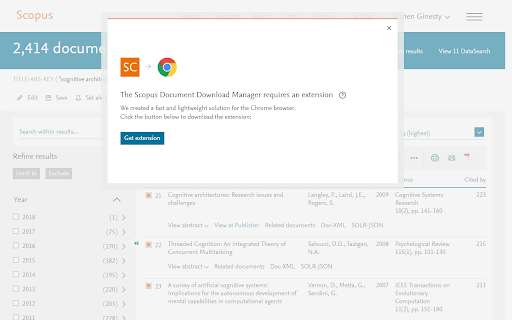
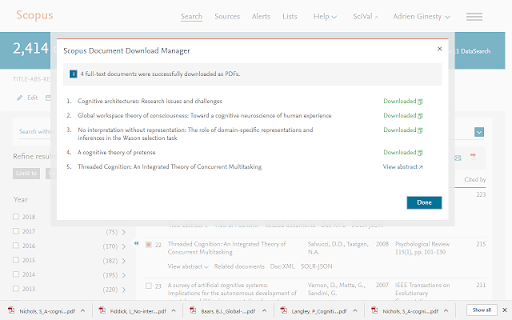
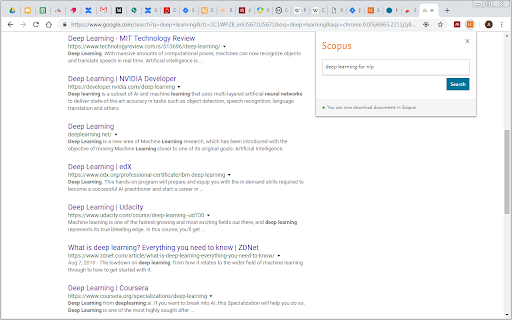
This extension only works for Scopus authenticated users. The Scopus download manager will not do anything for unauthenticated users. Scopus Document Download Manager is a free browser extension enabling download functionality in Scopus, as well as a Quick Document Search function for Scopus authenticated users. To search, authenticated users can simply click on the browser extension icon to display the search form. This extension saves authenticated users the hassle of visiting individual publisher web sites to download documents one by one. Instead, it seamlessly connects to publisher websites to download full text PDFs directly from your browser without needing to configure and maintain a list of entitlements. How do you use this extension in Scopus? 1) From the document search results or document list pages, select one or several documents and click on Download button or 2) From a S…

Listing SEO keywords

Search intent keywords
Keyword signals for evaluating how users may discover, compare, or search for this extension category.

Core discovery

Scopus PDF downloaderAcademic paper downloaderElsevier document manager

Comparison

Zotero vs Scopus extensionMendeley integration

Problem

extension not workingfailed to download PDFprivacy concerns

Alternative

ZoteroMendeley

Similar extensions

Jump to related discovery paths:

FAQ

What is Scopus Document Download Manager mainly used for?
This tool acts as a bridge between the Scopus search interface and various publisher websites to facilitate the bulk or direct download of academic PDFs. It requires an active institutional Scopus subscription to function.
What market signals stand out?
Large installed base with moderate review base. Last known update: 06/22/2024.
What should builders compare before entering this space?
Compare install concentration, rating quality, update recency, screenshots, developer portfolio, listing claims, and review-backed friction signals.
Is this page review-backed?
Backed by review samples. This page combines store metadata with selected review signals, while raw store metrics remain visible for comparison.

Screenshots

Scopus Document Download Manager screenshot

Links

Recommended Chrome extensions

Related listings from the same category, trending peers, and the same publisher portfolio.

Browse workflow