Save as MHTML icon

Save as MHTML Chrome Extension Analysis

Web Scraping & Data Extraction

Chrome extension ID: ahgakckdonjmnpnegjcamhagackmjpei

Save as MHTML allows users to convert web pages into MHTML/MHT archives, ensuring all external resources are stored locally. It provides additional tools for editing page content via Design Mode and simplifying page layouts for reading.

Developer:brian.girko
Version:0.4.3
Size:129KiB
Last updated:

Overview

Installs

10K+

Rating

3.5

40 reviews

Languages

12 locales

Includes Deutsch, English, Nederlands, español...

Market analysis

Review-backed positioning, friction, and market signals for this Chrome extension.

Backed by review samples

Macro category

Web Scraping & Data Extraction

Pricing friction

Low review signal

Complaint intensity

High review signal

Listing & review signals
Observed signals from store listing text and review samples.

Listing positioning

The extension is positioned as a utility to archive active tabs or specific page selections into single-file MHTML/MHT formats. It highlights its ability to preserve all online resources, including images and links, for offline use while offering features like Design Mode and a Reader View.

Inferred product pattern

A single-purpose web archiving utility that appears to be experiencing significant compatibility issues with recent browser updates.

Review-backed pain points

Users report significant reliability issues, including the extension failing to work entirely, saving files with incorrect names or no extensions, and failing to include images in the archive.

Observed feature gaps

Users have expressed a need for guidance or dedicated software to read and view the MHTML files once they have been saved.

Tags
MHTML ArchiverWeb Page SaverOffline ContentWeb Archive
Target users

- Researchers

- Web Developers

- Digital Archivists

Primary use cases

- Archiving web pages for offline access

- Saving specific webpage sections

- Cleaning web pages for reading

Positive themes

- Review-backed positive themes are not available in the provided sample.

Negative themes

- Broken core functionality where clicking the icon does nothing

- Incorrect file naming (saving files as 'Download')

- Missing file extensions in saved documents

- Failure to capture images or all page elements

Observed friction

- Performance complaints detected

- No pricing information is provided in the product listing or reviews.

Evidence boundary: Analysis based on the Chrome Web Store listing and user reviews highlighting functional breakage and file saving errors. The review sample is heavily skewed toward low ratings, which may not represent the full sentiment distribution.
Complaint summaries
Review-backed complaint signals grouped by operational area.

Support

No specific support or account-related complaints were identified, though users are requesting guidance on file compatibility.

Reliability

High volume of complaints regarding broken functionality, failed downloads, and incorrect file metadata (names and extensions).

Privacy

No privacy or security complaints were observed.

Access & pricing

- No clear monetization signal

- No account requirement observed

- No clear pricing signal

Store listing facts

Listing assets

- Screenshots: 1

- Videos: 1

- Languages: 12

Trust signals

- Developer contact

- Official website

Store metadata

- Version: 0.4.3

- Size: 129KiB

- Last updated:

Store description excerpt
Short excerpt from the public Chrome Web Store listing; full copy is available on the official store page.
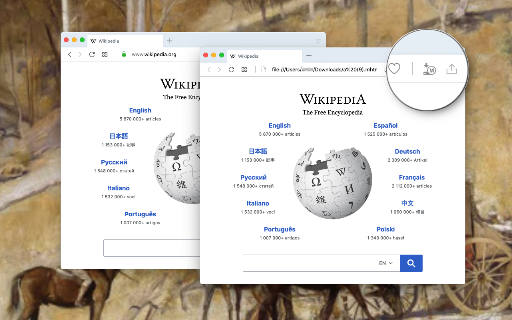
This extension offers a toolbar button to save the current page in the MHTML/MHT web archive format, which converts all online links to the offline version and saves all online resources offline enabled. Right-click Context Menu Functions: 1. Design Mode: You can edit the current page and add or remove images. 2. Reader View (declutter): Simplifies the page by keeping the main content only. It removes banners, toolbars, and advertisements from the page. This extension uses Mozilla's Readability library to simplify web pages. 3. Keep Selection Only: Creates a new document from the selected text. Use it if you need to archive part of a page. MHTML (short for MIME HTML) is a file extension for a Web page archive file format. The archived Web page is an MHTML document. MHTML saves the Web page content and incorporates external resources, such as images, applets, Flash animations, and so on,…

Listing SEO keywords

Search intent keywords
Keyword signals for evaluating how users may discover, compare, or search for this extension category.

Core discovery

save webpage as mhtmlmhtml downloaderweb archive extensionsave page offlinemht file saver

Comparison

Save as MHTSingleFileWebpage Archiver

Problem

mhtml not workingsave page as downloadsave webpage without imagesmhtml file reader

Alternative

web archive toolsoffline page savermhtml viewer

Similar extensions

Jump to related discovery paths:

FAQ

What is Save as MHTML mainly used for?
Save as MHTML allows users to convert web pages into MHTML/MHT archives, ensuring all external resources are stored locally. It provides additional tools for editing page content via Design Mode and simplifying page layouts for reading.
What market signals stand out?
Visible niche traction with limited review base. Last known update: 08/16/2025.
What should builders compare before entering this space?
Compare install concentration, rating quality, update recency, screenshots, developer portfolio, listing claims, and review-backed friction signals.
Is this page review-backed?
Backed by review samples. This page combines store metadata with selected review signals, while raw store metrics remain visible for comparison.

Screenshots

Save as MHTML screenshot

Links

Website: webextension.org

Videos: Watch

Recommended Chrome extensions

Related listings from the same category, trending peers, and the same publisher portfolio.

Browse developer
Always active Window - Always Visible icon

Always active Window - Always Visible

brian.girko

Simulate all whitelisted browser windows as active by spoofing the visibility state event and more!

Installs

300K+

Rating

4.0

OCR - Image Reader icon

OCR - Image Reader

brian.girko

A powerful optical character recognition (OCR) extension to capture and convert images to text

Installs

200K+

Rating

4.1

Google Analytics Debugger icon

Google Analytics Debugger

Google Analytics

Prints useful information to the JavaScript console by enabling the debug version of the Google Analytics Javascript.

Installs

600K+

Rating

4.2

Detailed SEO Extension icon

Detailed SEO Extension

ahrefsseotoolbar

Get SEO insights at the click of a button to any website you're currently on. Built by full-time SEO's for daily analysis.

Installs

500K+

Rating

4.9

CSS Peeper icon

CSS Peeper

CSS Peeper

Inspect website styles in seconds. Supercharge your workflow, and save hours of work.

Installs

500K+

Rating

4.1

Salesforce Inspector Reloaded icon

Salesforce Inspector Reloaded

Thomas Prouvot

Productivity tools for Salesforce administrators and developers to inspect data and metadata directly from the Salesforce UI.

Installs

500K+

Rating

4.8

Axure RP Extension for Chrome icon

Axure RP Extension for Chrome

Axure Software Solutions, Inc.

An extension that allows viewing of locally published Axure RP prototypes (HTML files) from Google Chrome.

Installs

500K+

Rating

3.3

SelectorsHub icon

SelectorsHub

Sanjay Kumar | SelectorsHub Founder

Locators Plugin to Auto Generate and Verify Playwright Locators, XPath & CSS Selectors.

Installs

400K+

Rating

4.8

Angular DevTools icon

Angular DevTools

Angular

Angular DevTools extends Chrome DevTools adding Angular specific debugging and profiling capabilities.

Installs

400K+

Rating

3.7

SAML-tracer icon

SAML-tracer

SimpleSAMLphp

A debugger for viewing SAML messages

Installs

400K+

Rating

4.5