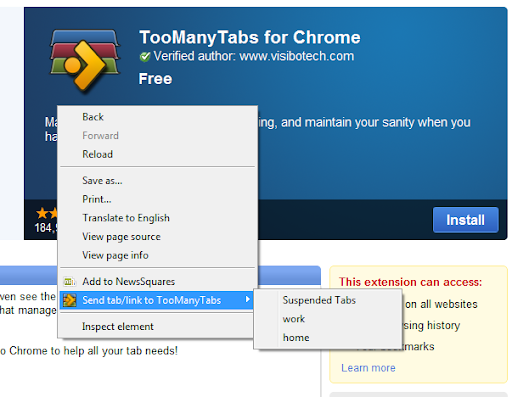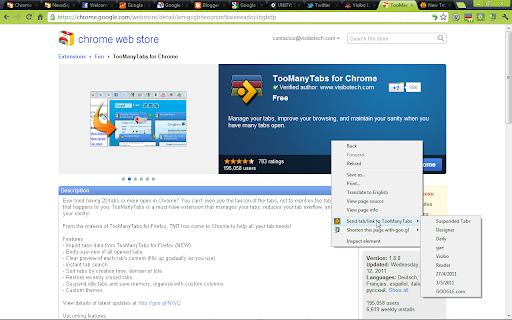
TooManyTabs for Chrome icon

TooManyTabs for Chrome Chrome Extension Analysis

Tab & Bookmark Productivity

Chrome extension ID: amigcgbheognjmfkaieeeadojiibgbdp

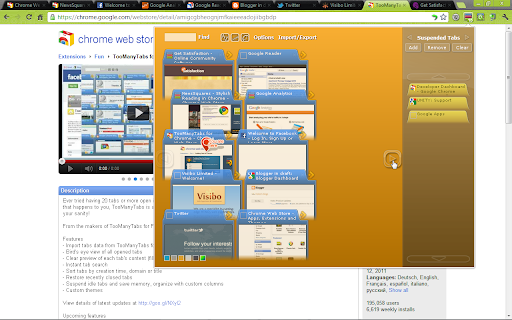
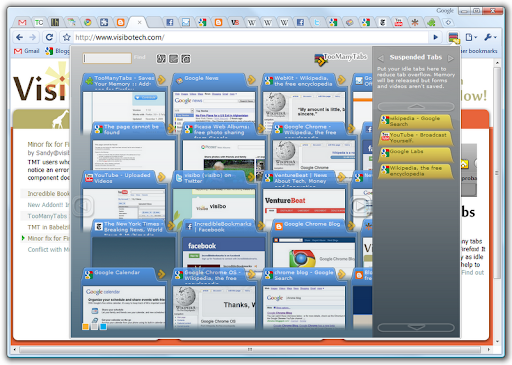
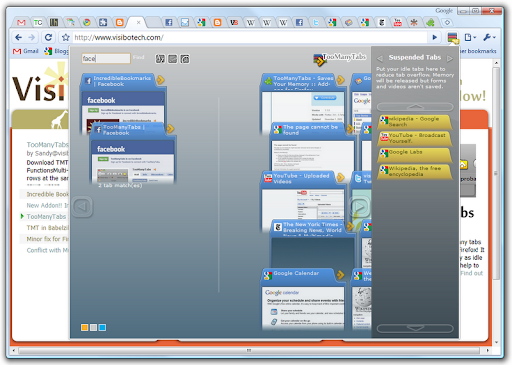
This extension provides a dashboard to view and manage large numbers of open Chrome tabs. It includes features for searching, sorting, and suspending inactive tabs to reduce RAM usage, while offering export/import functionality for session data.

Developer:Visibo Team
Version:2.4.1
Size:323KiB
Last updated:

Overview

Installs

100K+

Rating

4.2

1,657 reviews

Languages

9 locales

Includes Deutsch, English, español, français...

Market analysis

Review-backed positioning, friction, and market signals for this Chrome extension.

Backed by review samples

Macro category

Tab & Bookmark Productivity

Pricing friction

Low review signal

Complaint intensity

High review signal

Listing & review signals
Observed signals from store listing text and review samples.

Listing positioning

TooManyTabs positions itself as a solution for power users who suffer from browser tab overflow. It emphasizes bird's-eye management, memory-saving idle tab suspension, and organized custom columns to help users maintain focus and system performance.

Inferred product pattern

Legacy browser extension focused on session utility with manual local-storage reliance.

Review-backed pain points

The most frequent and severe pain point is the catastrophic loss of saved session data, often reported after updates or browser crashes. Users also report that the extension does not save 'browser history' (back button state) for closed tabs, only the URLs.

Observed feature gaps

Lack of native cross-device sync via Google accounts, absence of automated session management, and limited drag-and-drop functionality for organizing tabs between columns.

Tags
Tab ManagerMemory OptimizerSession ManagerProductivity
Target users

- Power browsers

- Web developers

- Researchers

- Multitaskers

Primary use cases

- Reducing RAM usage through tab suspension

- Managing large numbers of open tabs

- Organizing research sessions into categories

- Finding recently closed tabs

Positive themes

- Effective memory reduction

- Useful for organizing large research projects

- Bird's-eye view interface helps visualize tabs

- Good for keeping the browser clean

Negative themes

- Severe data loss incidents

- Broken import/export features

- Cluttered or non-intuitive user interface

- Lack of cross-device synchronization

- Technical bugs after browser updates

Observed friction

- Performance complaints detected

- No major pricing friction identified as the core features are free; complaints center on technical reliability.

Evidence boundary: Based on 1,600+ user reviews, the extension is valued for its memory-saving capabilities but is significantly marred by consistent reports of data loss and reliability issues. Review data spans over a decade, meaning some historical complaints may reflect older versions of the product.
Complaint summaries
Review-backed complaint signals grouped by operational area.

Support

Users report that bugs go unfixed for long periods and express frustration with the lack of reliable data recovery mechanisms when sessions fail.

Reliability

High incidence of reports regarding lost tab data, broken import/export functions, and technical glitches that render the extension unresponsive on some operating systems.

Privacy

Occasional user concern regarding the 'read and change data on websites' permission, though no specific data breach reports were found.

Access & pricing

- Free usage observed

- No account requirement observed

- Free plan or free usage claimed

Store listing facts

Listing assets

- Screenshots: 7

- Videos: 1

- Languages: 9

Trust signals

- Developer contact

- Official website

Store metadata

- Version: 2.4.1

- Size: 323KiB

- Last updated:

Store description excerpt
Short excerpt from the public Chrome Web Store listing; full copy is available on the official store page.
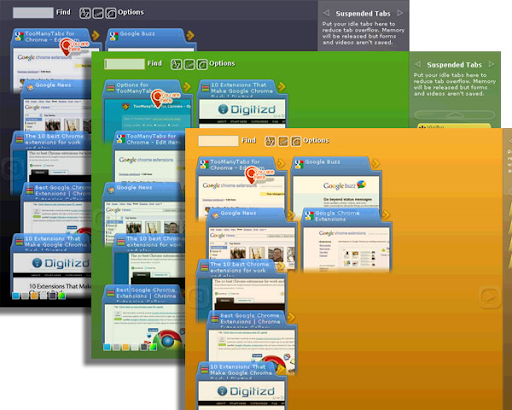
Ever tried having 20 tabs or more open in Chrome? You can’t even see the favicon of the tabs, not to mention the tab titles! If that happens to you, TooManyTabs is a must-have extension that manages your tabs, reduces your tab overflow, and saves your sanity! From the makers of TooManyTabs for Firefox, TMT has come to Chrome to help all your tab needs! * Full Release notes of version 2.4, please visit our blog at https://visibotech.com/2024/05/toomanytabs-version-24-release-notes.html * Features - NEW in 2.4! Migrate to Manifest v3 - NEW in 2.4! Export/import with file directly - Bird's eye view of all opened tabs - Preview of tab's content [Require Optional Permission] - Instant tab search - Sort tabs by creation time, domain or title - Remember recently closed tabs (within TMT) - Suspend idle tabs and save memory, organize with custom columns - Custom themes Disclaimer - Due to Chrome…

Listing SEO keywords

Search intent keywords
Keyword signals for evaluating how users may discover, compare, or search for this extension category.

Core discovery

chrome tab managertoo many tabs chrome extensionsuspend inactive tabschrome memory savertab organizer

Comparison

TooManyTabs vs OneTabbest chrome tab managersalternative to TooManyTabs

Problem

chrome tabs slowmanage tab overflowchrome running out of memory

Alternative

TabliOneTabThe Great Suspender

Similar extensions

Jump to related discovery paths:

FAQ

What is TooManyTabs for Chrome mainly used for?
This extension provides a dashboard to view and manage large numbers of open Chrome tabs. It includes features for searching, sorting, and suspending inactive tabs to reduce RAM usage, while offering export/import functionality for session data.
What market signals stand out?
Established adoption with substantial review base. Last known update: 05/08/2024.
What should builders compare before entering this space?
Compare install concentration, rating quality, update recency, screenshots, developer portfolio, listing claims, and review-backed friction signals.
Is this page review-backed?
Backed by review samples. This page combines store metadata with selected review signals, while raw store metrics remain visible for comparison.

Screenshots

TooManyTabs for Chrome screenshot

Links

Website: visibotech.com

Videos: Watch

Recommended Chrome extensions

Related listings from the same category, trending peers, and the same publisher portfolio.

Browse workflow
FreshStart - Cross Browser Session Manager icon

FreshStart - Cross Browser Session Manager

Visibo Team

Need simple session management? Several users on the same Chrome? FreshStart is a simple cross browser session manager.

Installs

60K+

Rating

4.4

Google Scholar PDF Reader icon

Google Scholar PDF Reader

scholar-chrome-extensions

Supercharge your paper reading: follow references, skim outline, jump to figures, cite and save.

Installs

2.0M+

Rating

4.1

Keeper® Password Manager & Digital Vault icon

Keeper® Password Manager & Digital Vault

Keeper Security

Generate strong passwords, autofill and protect your confidential info with zero-knowledge encryption.

Installs

2.0M+

Rating

4.8

AI Grammar Checker & Paraphraser – LanguageTool icon

AI Grammar Checker & Paraphraser – LanguageTool

lt-extension-publisher

Instantly Enhance Your Texts with LanguageTool’s Grammar Checker and Paraphrasing Tool

Installs

2.0M+

Rating

4.7

Snow Web Application Metering icon

Snow Web Application Metering

snow_chrome_extensions

This extension tracks web application use for the purpose of license compliance and cost optimization. www.snowsoftware.com/browser

Installs

2.0M+

Rating

1.3

Sound Booster - increase volume up icon

Sound Booster - increase volume up

Sound-ultimate.com

Volume Booster helps boost sound video or music on any tab! Increase volume and bass booster, equalizer. Volume control.

Installs

2.0M+

Rating

4.5

Evernote Web Clipper icon

Evernote Web Clipper

Evernote

Use the Evernote extension to save things you see on the web into your Evernote account.

Installs

2.0M+

Rating

4.7

Clever icon

Clever

Clever

Allows students and staff to access apps in Clever Portal.

Installs

2.0M+

Rating

2.5

Microsoft Defender Browser Protection icon

Microsoft Defender Browser Protection

Microsoft Corporation

Protect yourself against online threats, like phishing and malicious websites, with real-time protection from Microsoft.

Installs

2.0M+

Rating

4.1

Визуальные закладки icon

Визуальные закладки

Yandex

Визуальные закладки – это страница, на которой собраны ваши любимые сайты

Installs

2.0M+

Rating

3.4