Font Finder icon

Font Finder Chrome Extension Analysis

Developer & Designer Tools

Chrome extension ID: bhiichidigehdgphoambhjbekalahgha

Font Finder is a browser extension that detects font details of any selected web element. It allows users to capture comprehensive typography data including RGB/HEX colors, font family, weight, and spacing, while also offering tools to test custom fonts inline.

Developer:unixeco
Version:0.6.5
Size:151KiB
Last updated:

Overview

Installs

400K+

Rating

4.5

226 reviews

Languages

15 locales

Includes Deutsch, English, Nederlands, Türkçe...

Market analysis

Review-backed positioning, friction, and market signals for this Chrome extension.

Backed by review samples

Macro category

Developer & Designer Tools

Pricing friction

Low review signal

Complaint intensity

Moderate review signal

Listing & review signals
Observed signals from store listing text and review samples.

Listing positioning

The product is positioned as a specialized tool for designers, developers, and typographers to analyze and manipulate CSS font properties. It emphasizes the ability to inspect, copy, and live-edit font information like color, size, and family directly on active webpages.

Inferred product pattern

A developer utility for rapid typography inspection and CSS property extraction.

Review-backed pain points

Users report the extension occasionally fails to activate or work on specific complex web applications. Some users experienced inaccuracies where the tool captured body text instead of specific header elements.

Observed feature gaps

Users expressed interest in a feature to selectively choose which specific font attributes are copied to the clipboard and suggested a cleaner UI layout.

Tags
Font InspectorCSS StylesTypography ToolWeb Design
Target users

- Designers

- Developers

- Typographers

- QA Engineers

Primary use cases

- Inspecting CSS typography properties

- Copying font metadata to clipboard

- Testing custom fonts on live websites

- Visualizing font changes inline

Positive themes

- Convenient alternative to using browser DevTools

- Superior UI positioning compared to competitors like WhatFont

- Detailed information capture

Negative themes

- Compatibility issues with specific platforms like Canva

- Functionality breakage or failure to trigger

- Clunky interaction/too many mouse steps required

Observed friction

- No pricing information or friction observed in the provided data.

Evidence boundary: Data extracted from the store listing description and user reviews covering usability, feature requests, and compatibility issues. Review sample size is limited to 223 reviews relative to the 400,000 user base.
Complaint summaries
Review-backed complaint signals grouped by operational area.

Support

No specific support or account-related complaints were identified.

Reliability

Some users reported the extension failing to work on certain sites or failing to trigger the inspection mode.

Privacy

No privacy or security complaints were identified.

Access & pricing

- No clear monetization signal

- No account requirement observed

- No clear pricing signal

Store listing facts

Listing assets

- Screenshots: 4

- Videos: 1

- Languages: 15

Trust signals

- Privacy policy

- Developer contact

- Official website

Store metadata

- Version: 0.6.5

- Size: 151KiB

- Last updated:

Store description excerpt
Short excerpt from the public Chrome Web Store listing; full copy is available on the official store page.
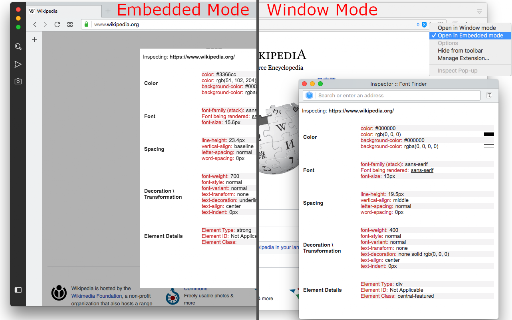
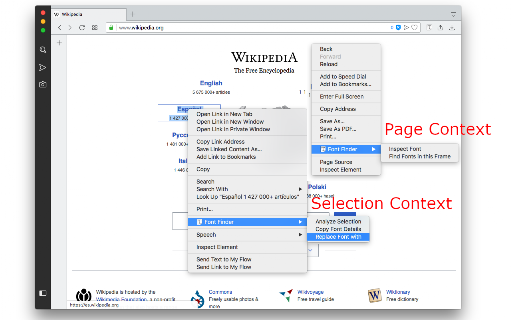
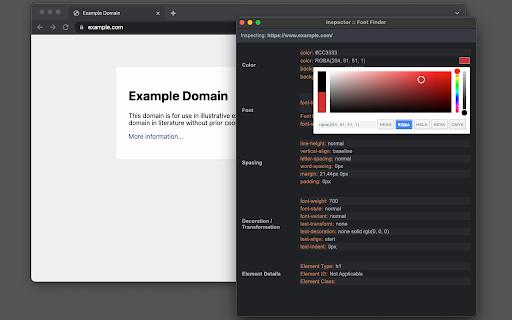
FontFinder is created for designers, developers, and typographers. It allows a user to analyze the font information of any element and copy any pieces of that information to the clipboard. Font Finder examines all the selected characters to detect the font used to display this particular character. FontFinder has three critical pieces of functionality: 1. Analyze any font on the active page. 2. Copy any piece of the element's information to the clipboard 3. Any active element can have any piece of the font's options (such as color, size, or family) adjusted inline Access these options by right-clicking the context menu over the selected text or right-clicking on the page and inspecting the element. Information Captured: 1. Font color (RGB and HEX) 2. Background color (RGB and HEX) 3. Font family (including actually rendered font!) 4. Font size 5. Line height, vertical alignment, letter,…

Listing SEO keywords

Search intent keywords
Keyword signals for evaluating how users may discover, compare, or search for this extension category.

Core discovery

font findercss font inspectoridentify font on websitetypography inspectorfont detector

Comparison

WhatFontfind that font

Problem

identify font on webpagecopy font cssinspect text style

Alternative

font identifierweb font checkercss style extractor

Similar extensions

Jump to related discovery paths:

FAQ

What is Font Finder mainly used for?
Font Finder is a browser extension that detects font details of any selected web element. It allows users to capture comprehensive typography data including RGB/HEX colors, font family, weight, and spacing, while also offering tools to test custom fonts inline.
What market signals stand out?
Established adoption with moderate review base. Last known update: 04/03/2026.
What should builders compare before entering this space?
Compare install concentration, rating quality, update recency, screenshots, developer portfolio, listing claims, and review-backed friction signals.
Is this page review-backed?
Backed by review samples. This page combines store metadata with selected review signals, while raw store metrics remain visible for comparison.

Screenshots

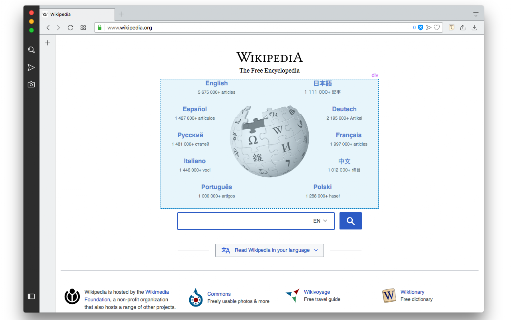
Font Finder screenshot

Links

Recommended Chrome extensions

Related listings from the same category, trending peers, and the same publisher portfolio.

Browse developer