ColorZilla icon

ColorZilla Chrome Extension Analysis

Developer & Designer Tools

Chrome extension ID: bhlhnicpbhignbdhedgjhgdocnmhomnp

ColorZilla is a browser extension that provides an advanced eyedropper, color picker, and gradient generator. It allows users to extract colors from any pixel on a webpage and manage color palettes.

Developer:colorzilla.com
Version:4.1
Size:410KiB
Last updated:

Overview

Installs

4.0M+

Rating

4.6

3,937 reviews

Languages

23 locales

Includes Deutsch, English, English (United Kingdom), Indonesia...

Market analysis

Review-backed positioning, friction, and market signals for this Chrome extension.

Backed by review samples

Macro category

Developer & Designer Tools

Pricing friction

Low review signal

Complaint intensity

Moderate review signal

Listing & review signals
Observed signals from store listing text and review samples.

Listing positioning

ColorZilla positions itself as a full-featured, reliable, and secure color utility suite for developers. It emphasizes advanced capabilities like CSS gradient generation and webpage color analysis.

Inferred product pattern

A highly popular, high-utility developer tool facing challenges with modern performance standards and user trust regarding privacy permissions.

Review-backed pain points

Users report browser sluggishness, startup delays, and occasional freezes. There is also significant user anxiety regarding the extension's permission to access all website data.

Observed feature gaps

Lack of HSV/HSL/CMYK mouseover preview and no option to automatically open the color panel when a color is selected.

Tags
Color PickerEyedropper ToolCSS GradientWeb Design
Target users

- Web Developers

- UI/UX Designers

- Graphic Designers

Primary use cases

- Extracting specific hex codes from websites

- Generating CSS gradients

- Analyzing webpage color schemes

Positive themes

- High precision in color sampling

- Versatile sampling sizes

- Effective color palette analysis

Negative themes

- Browser performance degradation

- Privacy concerns regarding permissions

- Outdated user interface

Observed friction

- Performance complaints detected

- Privacy complaints detected

- No pricing friction observed in the available data.

Evidence boundary: Analysis based on the official store listing and a sample of user reviews highlighting utility, performance, and privacy concerns. Review samples include extreme outlier claims regarding malware and varying levels of technical detail.
Complaint summaries
Review-backed complaint signals grouped by operational area.

Support

No specific support or refund complaints were identified in the review samples.

Reliability

Users have reported browser lag, freezing during file downloads, and the extension occasionally interacting with page elements instead of picking colors.

Privacy

Several users expressed strong distrust regarding the extension's broad data access permissions, with some incorrectly labeling it as malware.

Access & pricing

- No clear monetization signal

- No account requirement observed

- No clear pricing signal

Store listing facts

Listing assets

- Screenshots: 5

- Videos: 0

- Languages: 23

Trust signals

- Privacy policy

- Developer contact

- Official website

- Support link

Store metadata

- Version: 4.1

- Size: 410KiB

- Last updated:

Store description excerpt
Short excerpt from the public Chrome Web Store listing; full copy is available on the official store page.
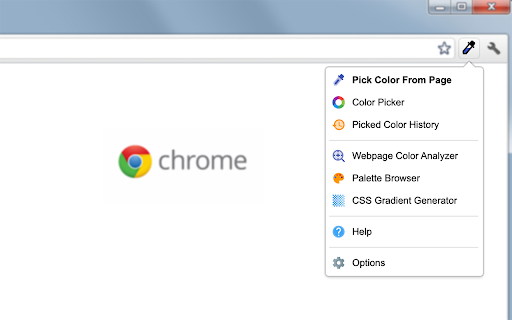
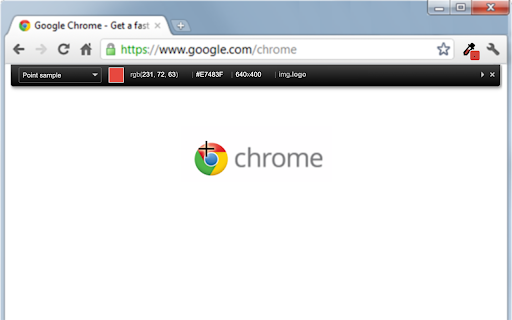
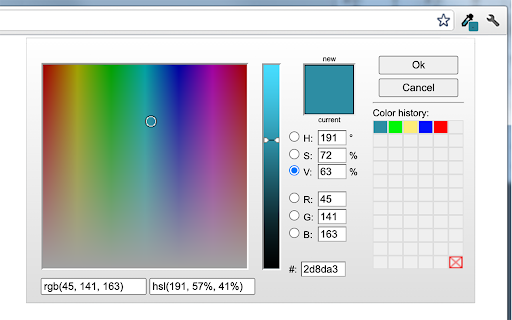
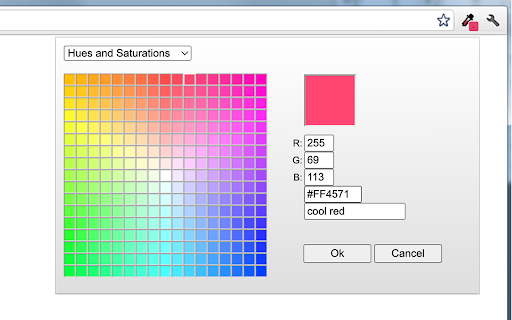
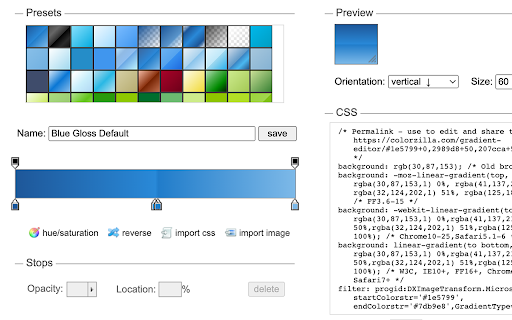
ColorZilla is the most user friendly, full-featured, secure and reliable color picker and color related suite of tools. It is one of the most popular Chrome and Firefox developer extensions with over 10 million downloads worldwide. With ColorZilla you can get a color reading from any point in your browser, quickly adjust this color and paste it into another program. And it can do so much more... == Features == ✓ Eyedropper - get the color of any pixel on the page ✓ Advanced Color Picker (similar to Photoshop's) ✓ Ultimate CSS Gradient Generator ✓ Webpage Color Analyzer - get a color palette for any site ✓ Palette Viewer with 7 pre-installed palettes ✓ Color History of recently picked colors ✓ Various sampling sizes - 1x1, 3x3, 5x5, 11x11 and 25x25 pixels ✓ Sample average color of any selected area ✓ Displays element information like tag name, class, id, size etc. ✓ Auto copy picked colo…

Listing SEO keywords

Search intent keywords
Keyword signals for evaluating how users may discover, compare, or search for this extension category.

Core discovery

color picker extensioneyedropper toolcss gradient generatorwebpage color analyzer

Comparison

Photoshop color pickercolor picker alternatives

Problem

browser sluggishnesscolor picker not workingprivacy permissions

Alternative

eyedroppercolor palette generator

Similar extensions

Jump to related discovery paths:

FAQ

What is ColorZilla mainly used for?
ColorZilla is a browser extension that provides an advanced eyedropper, color picker, and gradient generator. It allows users to extract colors from any pixel on a webpage and manage color palettes.
What market signals stand out?
Large installed base with substantial review base. Last known update: 05/22/2024.
What should builders compare before entering this space?
Compare install concentration, rating quality, update recency, screenshots, developer portfolio, listing claims, and review-backed friction signals.
Is this page review-backed?
Backed by review samples. This page combines store metadata with selected review signals, while raw store metrics remain visible for comparison.

Screenshots

ColorZilla screenshot

Links

Recommended Chrome extensions

Related listings from the same category, trending peers, and the same publisher portfolio.

Browse developer
Postman Interceptor icon

Postman Interceptor

Postman

Capture requests from any website and send them to Postman Client.

Installs

700K+

Rating

4.3

Window Resizer icon

Window Resizer

Ionuț Botizan

Resize the browser window to emulate various screen resolutions.

Installs

700K+

Rating

4.3

Tag Assistant Companion icon

Tag Assistant Companion

Google

The Tag Assistant Companion extension works with Tag Assistant to help troubleshoot installation of gtag.js and Google Tag Manager.

Installs

600K+

Rating

3.1

Talend API Tester - Free Edition icon

Talend API Tester - Free Edition

Qlik

Visually interact with REST, SOAP and HTTP APIs.

Installs

600K+

Rating

4.8

TikTok Pixel Helper icon

TikTok Pixel Helper

TikTok For Business

The TikTok Pixel Helper is a plug-in that monitors whether your TikTok Pixel is functioning properly.

Installs

600K+

Rating

2.6

Google Analytics Debugger icon

Google Analytics Debugger

Google Analytics

Prints useful information to the JavaScript console by enabling the debug version of the Google Analytics Javascript.

Installs

600K+

Rating

4.2

Detailed SEO Extension icon

Detailed SEO Extension

ahrefsseotoolbar

Get SEO insights at the click of a button to any website you're currently on. Built by full-time SEO's for daily analysis.

Installs

500K+

Rating

4.9

CSS Peeper icon

CSS Peeper

CSS Peeper

Inspect website styles in seconds. Supercharge your workflow, and save hours of work.

Installs

500K+

Rating

4.1

Salesforce Inspector Reloaded icon

Salesforce Inspector Reloaded

Thomas Prouvot

Productivity tools for Salesforce administrators and developers to inspect data and metadata directly from the Salesforce UI.

Installs

500K+

Rating

4.8

Axure RP Extension for Chrome icon

Axure RP Extension for Chrome

Axure Software Solutions, Inc.

An extension that allows viewing of locally published Axure RP prototypes (HTML files) from Google Chrome.

Installs

500K+

Rating

3.3