Document Editor for doc & docx icon

Document Editor for doc & docx Chrome Extension Analysis

Automation & Workflow Efficiency

Chrome extension ID: bpdjlkbbhlnjlggpbofheohnomnibmmm

A Chrome extension that provides a web-based interface for editing Microsoft Word and OpenOffice documents. It includes features for style management, PDF export, and a file manager for organizing documents online via the OffiDocs platform.

Version:2.12.7
Size:415KiB
Last updated:

Overview

Installs

30K+

Rating

3.1

209 reviews

Languages

18 locales

Includes Deutsch, English, Nederlands, Türkçe...

Market analysis

Review-backed positioning, friction, and market signals for this Chrome extension.

Backed by review samples

Macro category

Automation & Workflow Efficiency

Pricing friction

Low review signal

Complaint intensity

High review signal

Listing & review signals
Observed signals from store listing text and review samples.

Listing positioning

The product is positioned as a comprehensive online tool to create, edit, and view documents in .doc, .docx, and .odt formats. It emphasizes its integration with LibreOffice Writer Online and an integrated file management system for cloud-based document handling.

Inferred product pattern

A browser-based wrapper for a cloud-hosted office suite (OffiDocs) providing document editing capabilities without local software installation.

Review-backed pain points

Users report critical failures where documents are deleted during the editing process, as well as general frustration with a 'choppy' interface and inability to open or edit certain school-related files.

Observed feature gaps

Reliable auto-save/data persistence and a seamless collaboration experience for group editing.

Tags
Document EditorDocx ViewerOnline OfficeLibreOfficeFile Manager
Target users

- Students

- Chromebook users

- Office workers

- Open-source software users

Primary use cases

- Editing .docx and .odt files in-browser

- Converting documents to PDF

- Managing online office files

- Quickly viewing documents linked in the browser

Positive themes

- Review-backed positive themes are not available in the provided sample.

Negative themes

- Severe data loss and saving failures

- Poor performance and slowness

- Unintuitive user interface

- Editing functionality failure

- Presence of intrusive advertisements

Observed friction

- Performance complaints detected

- Users noted the presence of ads in the free version, though no specific payment complaints were observed.

Evidence boundary: Analysis based on the store listing and 10 low-rating review samples. The provided review sample consists entirely of low-rating reviews, meaning positive sentiment themes could not be identified.
Complaint summaries
Review-backed complaint signals grouped by operational area.

Support

Users expressed confusion and lack of guidance on basic tasks like uploading files and uninstalling from Chromebooks.

Reliability

Severe reliability issues including reports of the software deleting user work and failing to allow editing on intended files.

Privacy

No review-backed privacy complaints, although the listing explicitly mentions scanning URLs to detect DOC files.

Access & pricing

- Free entry with paid features

- Account required for core usage

- Limited free usage observed

Store listing facts

Listing assets

- Screenshots: 3

- Videos: 1

- Languages: 18

Trust signals

- Privacy policy

- Developer contact

- Official website

Store metadata

- Version: 2.12.7

- Size: 415KiB

- Last updated:

Store description excerpt
Short excerpt from the public Chrome Web Store listing; full copy is available on the official store page.
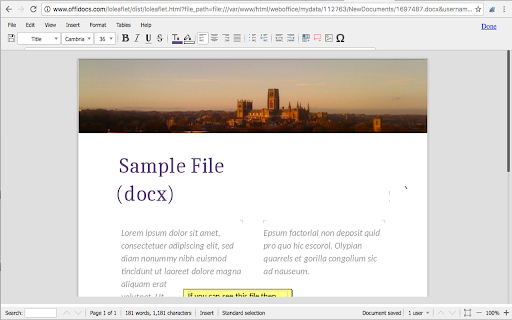
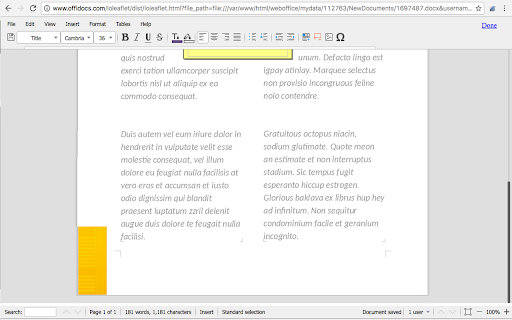
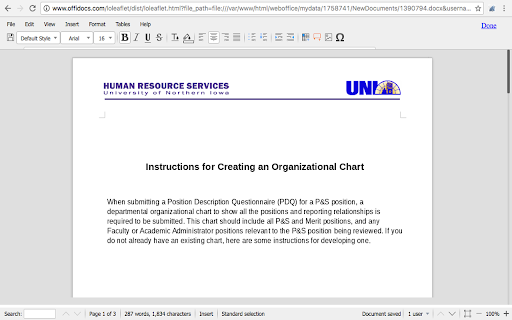
Document Editor is an extension to create, edit and view any document in formats doc, docx, and odt. It is an integration with LibreOffice Writer Online and a file manager in order to handle all your documents when your are online. It provides direct access to create a doc from the beginning, but it also intercepts files that are open when using your web browser. It is a document editor integrated with our file manager to manage only DOC, DOCX and ODT file types with this desktop app. Main features: - Create, edit and view documents. - Styles management. - Font sizes. - Font colours. - Background colours. - Search for texts. - Insert tables / images.. - Advanced find & replace / regular expressions / special characters. - Export to PDF. - Auto save files. - Open source code. - Formats: * LibreOffice and OpenOffice ODF text document (.odt) * Microsoft Word 6.0/95/97/2000/XP (.doc) * Micr…

Listing SEO keywords

Search intent keywords
Keyword signals for evaluating how users may discover, compare, or search for this extension category.

Core discovery

online docx editoredit odt files chromefree online document editorLibreOffice online extension

Comparison

Google Docs alternativeMicrosoft Word online alternativeLibreOffice vs Word online

Problem

how to open docx on chromebookedit doc files in browserfree docx editor no install

Alternative

document editor extensiondocx editor chromeodt editor online

Similar extensions

Jump to related discovery paths:

FAQ

What is Document Editor for doc & docx mainly used for?
A Chrome extension that provides a web-based interface for editing Microsoft Word and OpenOffice documents. It includes features for style management, PDF export, and a file manager for organizing documents online via the OffiDocs platform.
What market signals stand out?
Visible niche traction with moderate review base. Last known update: 09/02/2024.
What should builders compare before entering this space?
Compare install concentration, rating quality, update recency, screenshots, developer portfolio, listing claims, and review-backed friction signals.
Is this page review-backed?
Backed by review samples. This page combines store metadata with selected review signals, while raw store metrics remain visible for comparison.

Screenshots

Document Editor for doc & docx screenshot

Links

Recommended Chrome extensions

Related listings from the same category, trending peers, and the same publisher portfolio.

Browse workflow
Audio editor online X-Audacity icon

Audio editor online X-Audacity

officeonlinesystems

Audio editor online to edit your audios, remove noise, cut and combine clips, and apply special audio effects

Installs

400K+

Rating

2.8

Gimp online - image editor and paint tool icon

Gimp online - image editor and paint tool

officeonlinesystems

Create and edit images and photos with Gimp Online

Installs

300K+

Rating

2.6

Momentum icon

Momentum

Momentum

Transform your browser into a beautifully designed tab that helps you feel calm, keep focus, and stay energized.

Installs

2.0M+

Rating

4.5

Google Scholar PDF Reader icon

Google Scholar PDF Reader

scholar-chrome-extensions

Supercharge your paper reading: follow references, skim outline, jump to figures, cite and save.

Installs

2.0M+

Rating

4.1

Keeper® Password Manager & Digital Vault icon

Keeper® Password Manager & Digital Vault

Keeper Security

Generate strong passwords, autofill and protect your confidential info with zero-knowledge encryption.

Installs

2.0M+

Rating

4.8

AI Grammar Checker & Paraphraser – LanguageTool icon

AI Grammar Checker & Paraphraser – LanguageTool

lt-extension-publisher

Instantly Enhance Your Texts with LanguageTool’s Grammar Checker and Paraphrasing Tool

Installs

2.0M+

Rating

4.7

Snow Web Application Metering icon

Snow Web Application Metering

snow_chrome_extensions

This extension tracks web application use for the purpose of license compliance and cost optimization. www.snowsoftware.com/browser

Installs

2.0M+

Rating

1.3

Sound Booster - increase volume up icon

Sound Booster - increase volume up

Sound-ultimate.com

Volume Booster helps boost sound video or music on any tab! Increase volume and bass booster, equalizer. Volume control.

Installs

2.0M+

Rating

4.5

Evernote Web Clipper icon

Evernote Web Clipper

Evernote

Use the Evernote extension to save things you see on the web into your Evernote account.

Installs

2.0M+

Rating

4.7

Clever icon

Clever

Clever

Allows students and staff to access apps in Clever Portal.

Installs

2.0M+

Rating

2.5