Video Notebook - Visual AI Tutor for Video Learning icon

Video Notebook Chrome Extension Analysis

AI & Writing Assistants

Store listing title: Video Notebook - Visual AI Tutor for Video Learning

Chrome extension ID: hbklahkfbghjgbclbfcnhpfmajkagnci

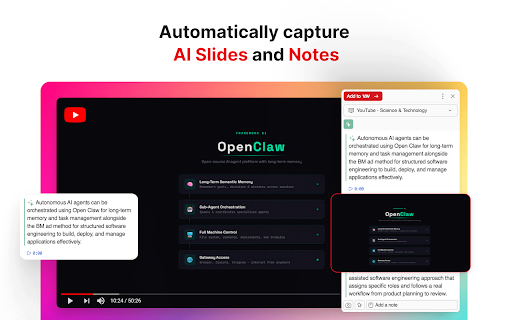
This extension captures screenshots, text notes, and AI-generated summaries from videos on platforms like YouTube, Coursera, and Google Meet. It synchronizes data to a cloud-based web application where users can organize content into notebooks, generate flashcards, and perform AI-driven Q&A based on video content.

Developer:Video Notebook
Version:2.0.8
Size:9.59MiB
Last updated:

Overview

Installs

70K+

Rating

3.8

256 reviews

Languages

1 locales

Includes English

Market analysis

Review-backed positioning, friction, and market signals for this Chrome extension.

Backed by review samples

Macro category

AI & Writing Assistants

Pricing friction

Low review signal

Complaint intensity

High review signal

Listing & review signals
Observed signals from store listing text and review samples.

Listing positioning

Video Notebook positions itself as an AI-powered educational companion that integrates with major video platforms to automate note-taking, screenshots, and quizzing. It targets students and professionals by promising a centralized hub for managing insights extracted from online courses and virtual meetings.

Inferred product pattern

Cloud-synced AI study assistant relying on persistent background processes.

Review-backed pain points

Users consistently report losing hours of work due to synchronization failures, where notes fail to save to the cloud. Additional frustrations include intrusive automatic AI behaviors that trigger without consent and UI overlays that conflict with native video player controls.

Observed feature gaps

Lack of granular user control over AI automatic triggering, missing offline-first saving capabilities to prevent data loss, and UI conflicts with browser keyboard shortcuts (spacebar/D key).

Tags
Video Note TakingAI LearningYouTube ProductivityStudy Tools
Target users

- University students

- Adult learners

- Remote meeting participants

- K-12 students

Primary use cases

- Summarizing educational videos

- Taking time-stamped notes during meetings

- Creating automated study aids like flashcards and quizzes

- Extracting slides from presentations

Positive themes

- Initial high utility for exam preparation

- Effective concept as a study tool

- Valuable timestamped note-taking features

Negative themes

- Critical data loss of saved notes

- Unreliable synchronization with web app

- Aggressive/unwanted AI automation

- Interference with browser keyboard shortcuts and video playback

Observed friction

- Performance complaints detected

- The extension claims to be free; however, user frustration is driven by technical instability and data loss rather than paywall issues.

Evidence boundary: Extensive user reports highlight a persistent pattern of critical data loss and synchronization failure, heavily impacting the product's perceived utility despite its promising feature set. Review samples represent a subset of users, primarily those experiencing significant technical failures; positive user experiences may be underrepresented in the provided sample.
Complaint summaries
Review-backed complaint signals grouped by operational area.

Support

Users report non-responsive support when attempting to resolve critical issues like lost data or account registration errors.

Reliability

High incidence of reports regarding notes not saving, cloud synchronization failures, and the extension causing browser/video playback lag.

Privacy

Concerns relate to the lack of user control over 'always-on' AI features rather than explicit data privacy breaches.

Access & pricing

- Free usage observed

- Account required for core usage

- Free plan or free usage claimed

Store listing facts

Listing assets

- Screenshots: 4

- Videos: 1

- Languages: 1

Trust signals

- Privacy policy

- Developer contact

- Official website

- Support link

Store metadata

- Version: 2.0.8

- Size: 9.59MiB

- Last updated:

Store description excerpt
Short excerpt from the public Chrome Web Store listing; full copy is available on the official store page.
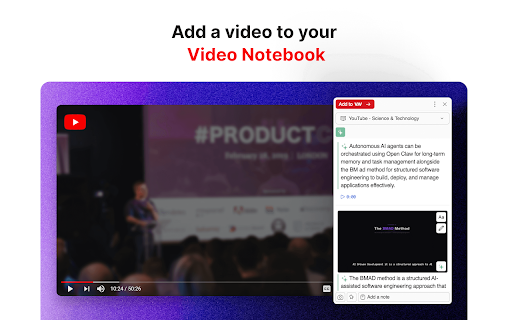
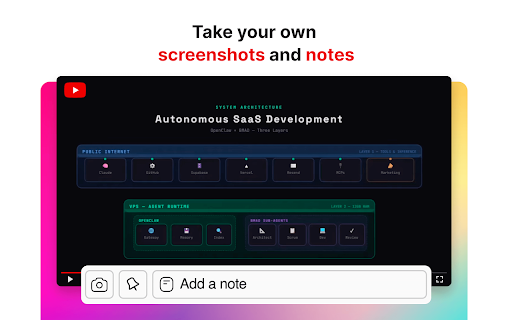
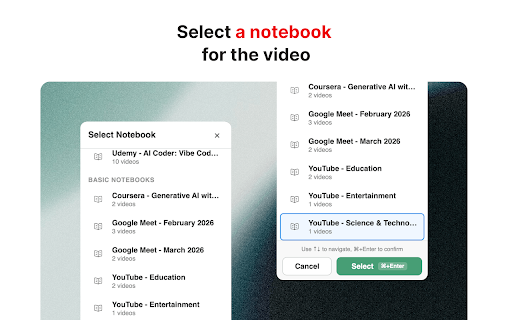
Use this extension to add videos to your Video Notebook (app.videonotebook.com). It works on YouTube.com, Udemy.com, Coursera.com, Meet.google.com, and Vimeo.com. You can take your own screenshots and notes while watching videos on those sites, or just sit back and let the extension capture AI Slides and AI Notes for you. All notes have timestamps that you can click on to start the video from that point. Notes for all videos you’ve added to Video Notebook appear on your web app, app.videonotebook.com. There, you organize your videos into notebooks. For AI Notebooks, you get rich AI features like: - AI Assistant: - Ask questions just like you do to ChatGPT. - The answers are tailored to what’s in the course videos, not random Internet content. - The answers include slides from videos + links to points inside the videos. - Multiple choice, short answer, and coding quizzes: - Take a quiz a…

Listing SEO keywords

Search intent keywords
Keyword signals for evaluating how users may discover, compare, or search for this extension category.

Core discovery

AI video notesYouTube study extensionautomated note-takingvideo summarizerAI quiz generator

Comparison

Video Notebook vs alternative note-takersbest AI tools for YouTube

Problem

Video Notebook not saving notesextension causing lagVideo Notebook bugs

Alternative

Note-taking browser extensionsAI video summarizer tools

Similar extensions

Jump to related discovery paths:

FAQ

What is Video Notebook mainly used for?
This extension captures screenshots, text notes, and AI-generated summaries from videos on platforms like YouTube, Coursera, and Google Meet. It synchronizes data to a cloud-based web application where users can organize content into notebooks, generate flashcards, and perform AI-driven Q&A based on video content.
What market signals stand out?
Visible niche traction with moderate review base. Last known update: 04/27/2026.
What should builders compare before entering this space?
Compare install concentration, rating quality, update recency, screenshots, developer portfolio, listing claims, and review-backed friction signals.
Is this page review-backed?
Backed by review samples. This page combines store metadata with selected review signals, while raw store metrics remain visible for comparison.

Screenshots

Video Notebook - Visual AI Tutor for Video Learning screenshot

Links

Recommended Chrome extensions

Related listings from the same category, trending peers, and the same publisher portfolio.

Browse education
Voice In - Speech-To-Text Dictation icon

Voice In - Speech-To-Text Dictation

Dictanote

Use dictation to type in 10k+ sites in 50+ languages. VoiceIn transcribes your speech to text in real time.

Installs

600K+

Rating

4.4

Translate for Chrome -Translator, Dictionary icon

Translate for Chrome -Translator, Dictionary

Translator App.

Translate words, phrases or text on any webpage. Full page translator and dictionary, text to speech (TTS) using Google Translate.

Installs

600K+

Rating

4.7

オクリンクプラス Webページスクリーンショット機能 icon

オクリンクプラス Webページスクリーンショット機能

ベネッセコーポレーション

オクリンクプラスのカードにWebページのスクリーンショットを挿入し、リンクを埋め込むことができます!

Installs

500K+

Rating

3.0

GPTZero: AI Detection & Writing Replay icon

GPTZero: AI Detection & Writing Replay

chrome-extension-publisher

Bring AI detection, citation checks, live essay feedback, and writing replays directly into Google Docs and your workflow.

Installs

400K+

Rating

4.7

Google Meet Attendance List icon

Google Meet Attendance List

MeetList

Easiest way to save the attendance list for your meetings or lectures

Installs

400K+

Rating

4.7

Cite This For Me: Web Citer icon

Cite This For Me: Web Citer

Chegg Writing Tools

Automatically create website citations in the APA, MLA, Chicago, or Harvard referencing styles at the click of a button.

Installs

400K+

Rating

3.8

Trancy - AI Translator & Dual Subtitles icon

Trancy - AI Translator & Dual Subtitles

Trancy

Trancy provides bilingual subtitle for platforms like YouTube, Disney+, as well as AI translator for websites.

Installs

300K+

Rating

4.7

Assessment Lock (Vretta) icon

Assessment Lock (Vretta)

google-web-store-admin

Assessment Security extension for e-Assessments running on ChromeOS

Installs

300K+

Rating

1.9

edpuzzle icon

edpuzzle

Edpuzzle

Import your favorite educational YouTube video into Edpuzzle with a click!

Installs

300K+

Rating

4.2

Certificate Enrollment for ChromeOS icon

Certificate Enrollment for ChromeOS

google.com

Request a certificate for your device.

Installs

300K+

Rating

4.4