
Boomerang for Gmail Chrome Extension Analysis
Automation & Workflow EfficiencyChrome extension ID: mdanidgdpmkimeiiojknlnekblgmpdll
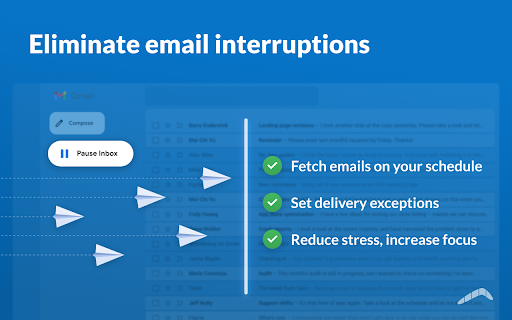
This extension integrates directly into the Gmail interface to provide advanced email management capabilities. It allows users to schedule messages, track read receipts, pause their inbox, and coordinate meeting times through interactive calendar widgets.
Overview
Installs
800K+
Rating
★ 4.2
2,093 reviews
Languages
1 locales
Includes English
Market analysis
Review-backed positioning, friction, and market signals for this Chrome extension.
Macro category
Automation & Workflow Efficiency
Pricing friction
Low review signal
Complaint intensity
Moderate review signal
Listing positioning
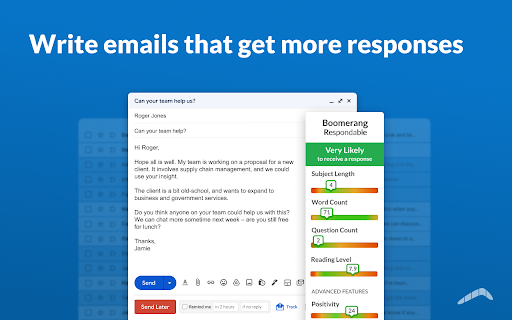
Boomerang positions itself as a comprehensive email management and calendar scheduling solution for Gmail users. It emphasizes productivity gains through features like email tracking, scheduling, recurring messages, and an AI-powered writing assistant.
Inferred product pattern
Established long-term productivity utility transitioning from a legacy tool to a modern SaaS subscription model.
Review-backed pain points
Users frequently report frustration over features (like recurring emails) that are gated behind a subscription without clear initial disclosure, as well as billing confusion regarding currency conversions.
Observed feature gaps
Users noted performance issues, specifically freezing during the email tracking process, and limitations regarding the 'undo send' functionality when the extension is active.
- Freelancers
- Teachers
- Sales Professionals
- General Gmail Users
- Scheduling follow-up emails
- Managing calendar invites within Gmail
- Tracking email engagement
- Automating recurring email tasks
- Effective email scheduling and tracking
- Helpful AI-based writing suggestions
- Useful free tier for low-volume users
- Convenient calendar integration
- Aggressive monetization/paywalling
- Perceived deceptive free trial practices
- Performance latency during email tracking
- High-level permission requirements
- Poor customer service and billing disputes
- Account blocking complaints detected
- Refund complaints detected
- Performance complaints detected
- Privacy complaints detected
- Users report confusion regarding free trials that transition to paid subscriptions without adequate warning and frustration over currency-related billing discrepancies.
Support
Complaints exist regarding rude customer support interactions and unilateral subscription cancellations during billing disputes.
Reliability
Evidence of significant performance lag (5-15 seconds) when tracking emails, and reported service outages (504 errors) for scheduled features.
Privacy
Concerns raised about extensive permission requirements, specifically the ability to delete all emails and calendar appointments.
- Free entry with paid features
- Account required for core usage
- Limited free usage observed
Store listing facts
- Screenshots: 5
- Videos: 1
- Languages: 1
- Privacy policy
- Developer contact
- Official website
- Support link
- Version: 1.9.3
- Size: 5.32MiB
- Last updated:
Listing SEO keywords
Core discovery
Comparison
Problem
Alternative
Similar extensions
Jump to related discovery paths:
FAQ
Screenshots



Links
Website: boomeranggmail.com
Privacy policy: https://www.boomeranggmail.com/privacy.html
Support links: https://help.boomeranggmail.com
Videos: Watch