Quick Equations icon

Quick Equations Chrome Extension Analysis

Niche Lifestyle & Gaming Hacks

Chrome extension ID: pnhnfjbdadnnicpliempeidfminbflon

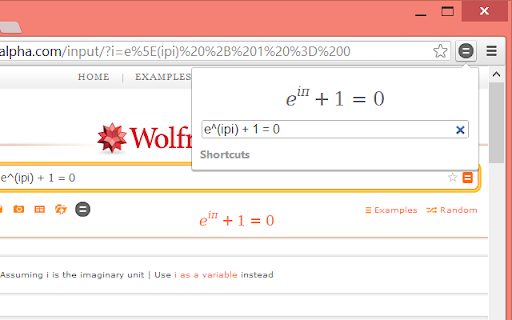
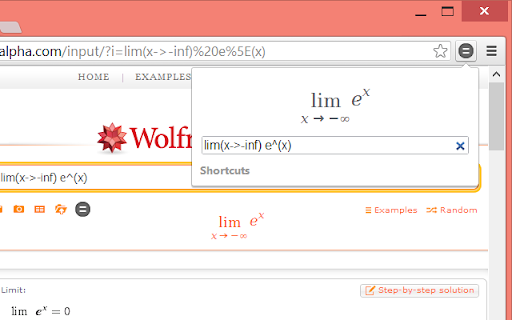
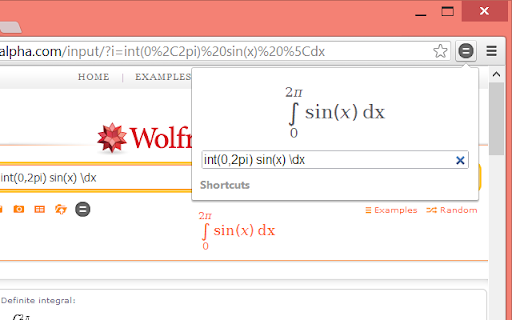
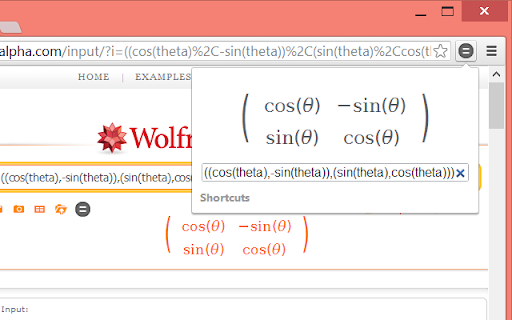
This extension provides a pop-up interface for typing mathematical equations using keyboard shortcuts, which are then rendered as images for easy insertion into documents. It includes features for real-time previewing and direct searching via WolframAlpha.

Developer:mohd.akram
Version:1.7.1
Size:70.02KiB
Last updated:

Overview

Installs

10K+

Rating

4.3

29 reviews

Languages

1 locales

Includes English

Market analysis

Review-backed positioning, friction, and market signals for this Chrome extension.

Backed by review samples

Macro category

Niche Lifestyle & Gaming Hacks

Pricing friction

Low review signal

Complaint intensity

Moderate review signal

Listing & review signals
Observed signals from store listing text and review samples.

Listing positioning

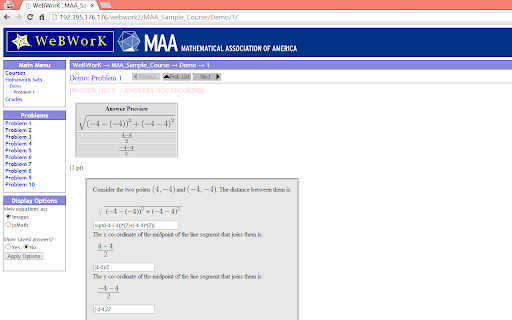
Quick Equations positions itself as a fast, shortcut-driven equation editor designed to streamline math notation. It emphasizes seamless integration with educational platforms like WolframAlpha, WeBWorK, and Google Forms through real-time previews and image output.

Inferred product pattern

Specialized utility browser extension for academic documentation and equation formatting.

Review-backed pain points

Recent updates have introduced regressions in image rendering quality and forced visual styling changes that users cannot disable.

Observed feature gaps

Lack of user-controlled settings for UI theme toggling and image quality rendering preferences.

Tags
Math ToolsEquation EditorAcademic ProductivityGoogle Forms Add-on
Target users

- Math Teachers

- Students

- Academic Researchers

Primary use cases

- Typing complex math equations with shortcuts

- Exporting equations as images for Google Docs or Slides

- Solving math problems via WolframAlpha integration

Positive themes

- Ease of use with keyboard shortcuts

- Convenient Greek variable support

- Integration with educational workflows

Negative themes

- Degraded image quality following recent updates

- Unwanted forced UI theme changes (light/dark mode syncing)

- Concerns regarding reliability after recent software updates

Observed friction

- Performance complaints detected

- No pricing friction identified; the product appears to be free.

Evidence boundary: Data derived from public Chrome Web Store listing and 8 user reviews spanning 2012–2026. Review sample size is small and some feedback pertains to historical versions; recent negative sentiment is concentrated in a single long-term user report.
Complaint summaries
Review-backed complaint signals grouped by operational area.

Support

No explicit support complaints found, though users have expressed frustration regarding the impact of recent software updates.

Reliability

One notable report of significantly reduced image quality and UI theme issues following a recent update.

Privacy

None identified.

Access & pricing

- Free usage observed

- No account requirement observed

- Free plan or free usage claimed

Store listing facts

Listing assets

- Screenshots: 5

- Videos: 0

- Languages: 1

Trust signals

- Developer contact

- Official website

- Support link

Store metadata

- Version: 1.7.1

- Size: 70.02KiB

- Last updated:

Store description excerpt
Short excerpt from the public Chrome Web Store listing; full copy is available on the official store page.
This is a fast equation editor/viewer that allows you to type equations quickly using helpful shortcuts and see them as you do. No more do you have to worry about missing a bracket or mistyping your equation with the real-time preview. You can then search for the equation on WolframAlpha to solve it or see more information. You can also copy or save the equation as an image by right-clicking it, or by dragging in sites such as Google Docs. You can use the extension directly on the WolframAlpha website by clicking the Quick Equations icon on the page. To access extension options, right-click the extension button and select "Options". You can use Quick Equations on any WeBWorK site by enabling that feature in the extension options. The extension also supports Google Forms and that can be enabled in the options. To add an equation as part of a question, click the image button in Google For…

Listing SEO keywords

Search intent keywords
Keyword signals for evaluating how users may discover, compare, or search for this extension category.

Core discovery

equation editor chrome extensionmath notation toolwrite math in google docswebwork equation helper

Comparison

math equation editor alternativewolframalpha extension

Problem

math symbols chromehow to write equations in google forms

Alternative

latex editor chromemathpix alternative

Similar extensions

Jump to related discovery paths:

FAQ

What is Quick Equations mainly used for?
This extension provides a pop-up interface for typing mathematical equations using keyboard shortcuts, which are then rendered as images for easy insertion into documents. It includes features for real-time previewing and direct searching via WolframAlpha.
What market signals stand out?
Visible niche traction with limited review base. Last known update: 03/13/2026.
What should builders compare before entering this space?
Compare install concentration, rating quality, update recency, screenshots, developer portfolio, listing claims, and review-backed friction signals.
Is this page review-backed?
Backed by review samples. This page combines store metadata with selected review signals, while raw store metrics remain visible for comparison.

Screenshots

Quick Equations screenshot

Links

Recommended Chrome extensions

Related listings from the same category, trending peers, and the same publisher portfolio.

Browse education
GitHub File Diff icon

GitHub File Diff

mohd.akram

View diffs of files and directories on GitHub.

Installs

209

Rating

ImTranslator: Translator, Dictionary, TTS icon

ImTranslator: Translator, Dictionary, TTS

smartlink

Translator, Dictionary, Voice

Installs

900K+

Rating

4.4

Mote for Google Chrome™ icon

Mote for Google Chrome™

Mote Technologies, Inc.

Your AI-powered learning companion - Mote helps everyone to read, write & be heard across Google Workspace and the web.

Installs

800K+

Rating

4.6

Tasks for Canvas – now supporting Blackboard, D2L Brightspace icon

Tasks for Canvas – now supporting Blackboard, D2L Brightspace

BetterCampus

A better to-do list sidebar for Canvas, Blackboard, and D2L Brightspace.

Installs

800K+

Rating

4.7

ProctorExam Activity Sharing icon

ProctorExam Activity Sharing

ProctorExam BV

Lets you share your browsing activity when taking an online exam on ProctorExam - https://www.proctorexam.com

Installs

800K+

Rating

1.6

eJOY AI Dictionary icon

eJOY AI Dictionary

ejoy-english.com

Your ultimate knowledge and English learning tool to discover the world and upskill yourself. Translate video, websites and PDF.

Installs

700K+

Rating

4.8

Voice In - Speech-To-Text Dictation icon

Voice In - Speech-To-Text Dictation

Dictanote

Use dictation to type in 10k+ sites in 50+ languages. VoiceIn transcribes your speech to text in real time.

Installs

600K+

Rating

4.4

Translate for Chrome -Translator, Dictionary icon

Translate for Chrome -Translator, Dictionary

Translator App.

Translate words, phrases or text on any webpage. Full page translator and dictionary, text to speech (TTS) using Google Translate.

Installs

600K+

Rating

4.7

オクリンクプラス Webページスクリーンショット機能 icon

オクリンクプラス Webページスクリーンショット機能

ベネッセコーポレーション

オクリンクプラスのカードにWebページのスクリーンショットを挿入し、リンクを埋め込むことができます!

Installs

500K+

Rating

3.0

GPTZero: AI Detection & Writing Replay icon

GPTZero: AI Detection & Writing Replay

chrome-extension-publisher

Bring AI detection, citation checks, live essay feedback, and writing replays directly into Google Docs and your workflow.

Installs

400K+

Rating

4.7